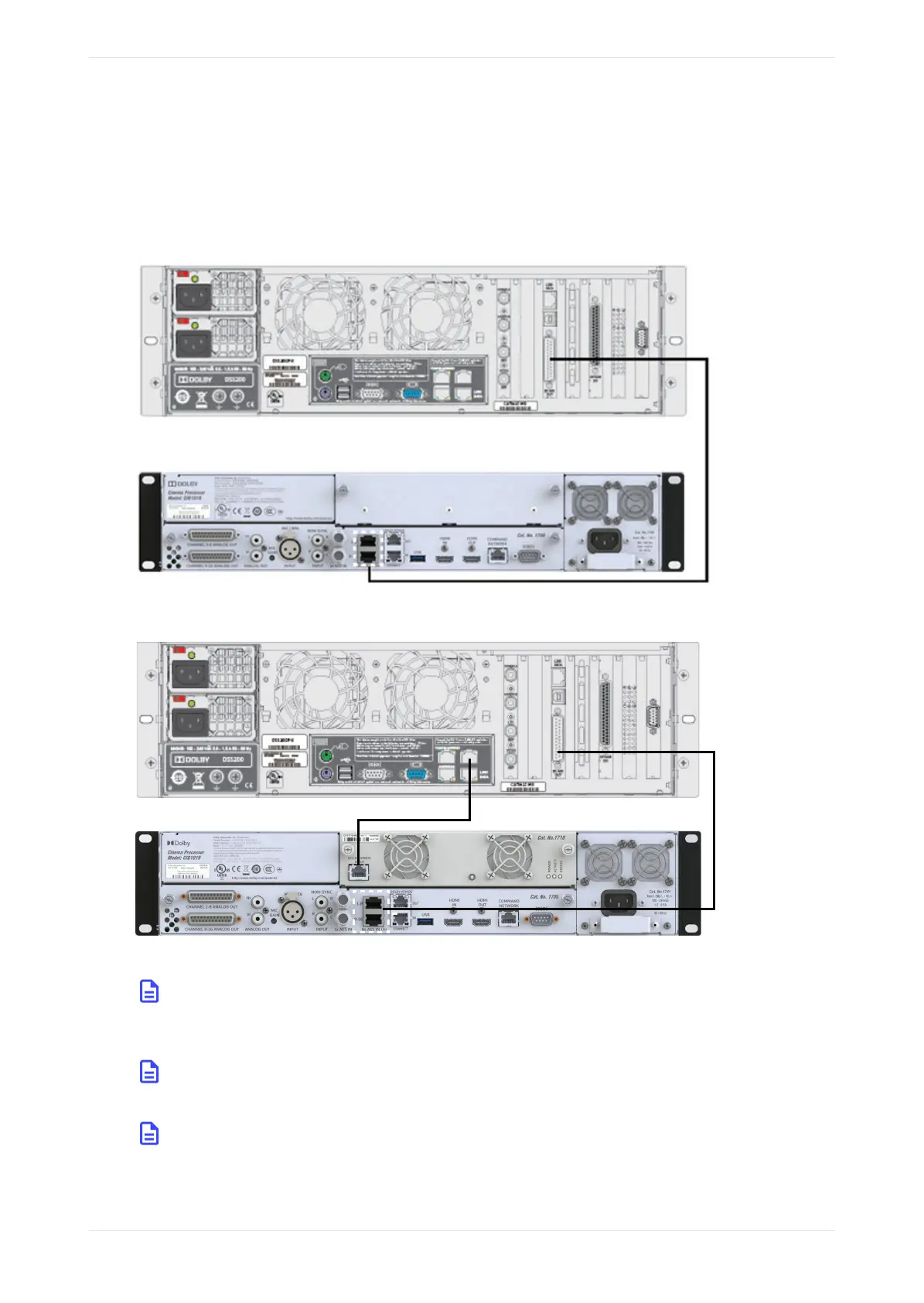
Reducing the number of connections is useful in preventing electromagnetic interference (EMI). If you are
connecting to a CP950A, use a CAT5e (or greater) Ethernet cable to connect the upper right-side Ethernet port
on the DSS200 to the Dolby Atmos Input port on the CP950A CAT1710.
The examples in the following figures show a DSS200 connection to a CP950 and DSS200 connections to a
CP950A.
Figure 19: Connecting a Dolby DSS200 to the Dolby CP950
Figure 20: Connecting a Dolby DSS200 to a Dolby CP950A
Note: There may be a port protector covering the DSS200 Ethernet port. In this case, insert a 3/32-
inch Allen wrench into the hole in the protector, turn counterclockwise, and remove the port
protector.
Note: Some early DSS200 playback systems have two Ethernet ports on one of the vertical cards at
the right-rear side of the unit. Use the top port for a Dolby Atmos input.
Note: The earliest DSS200 units did not contain an available Ethernet port for connecting a Dolby
Atmos input and cannot be upgraded to support a Dolby Atmos input.
Connecting the Dolby CP950 and CP950A to a Dolby Digital Cinema playback system
Dolby Cinema Processor CP950 and Dolby Atmos Cinema Processor CP950A Manual 31
Issue 9 Part Number 8800298 19 January 2022









 To Next Page