Instructions for use Babyleo TN500 SW 1.0n 33
Product description
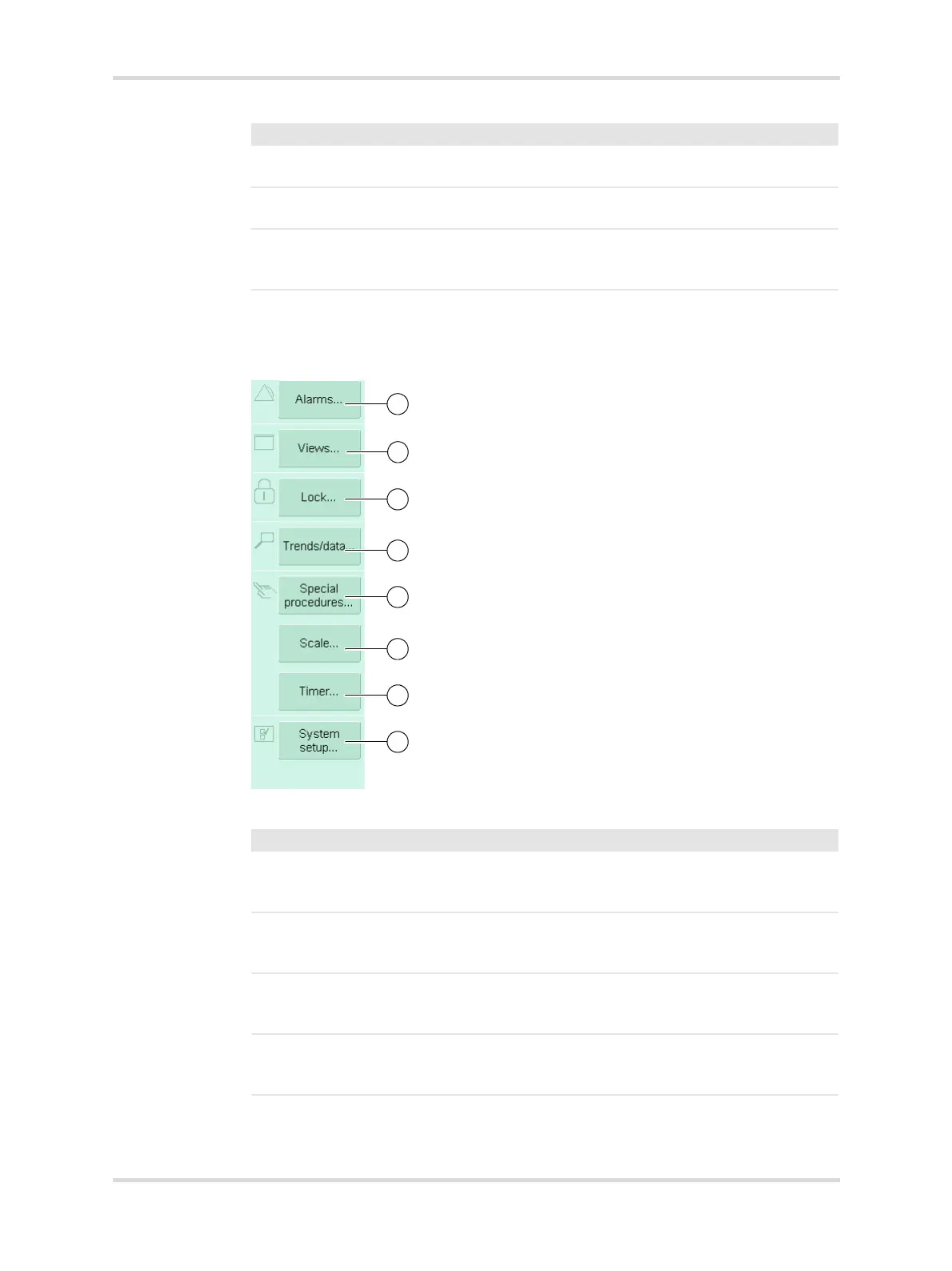
3.2.2 Main menu bar
This chapter describes the main menu bar.
Fig. 11 Main menu bar on the main screen
4 Main menu bar Contains buttons for opening dialog windows
and activating functions.
5 Therapy bar Provides access to therapy modes and ther-
apy settings.
6 Monitoring area Displays various parameters. If there is an
active alarm for a parameter, the background
of the corresponding parameter flashes.
No. Designation Description
28477
No. Designation Description
1 Alarms... Opens the dialog window for setting the alarm
limits and shows current alarms and the alarm
history.
2 Views... Switches the screen view between Main,
Thermomonitoring, Developmental care
and Family.
3 Lock... Activates the locking and unlocking of the
height adjustment, the bed-tilt mechanism,
and the touchscreen.
4 Trends/data... Opens the dialog window to display graphical
and tabular trends, measured values and set-
tings, and the logbook.














 To Next Page