46 Instructions for use Babyleo TN500 SW 1.0n
Operating concept
4.1.2 Setting a parameter
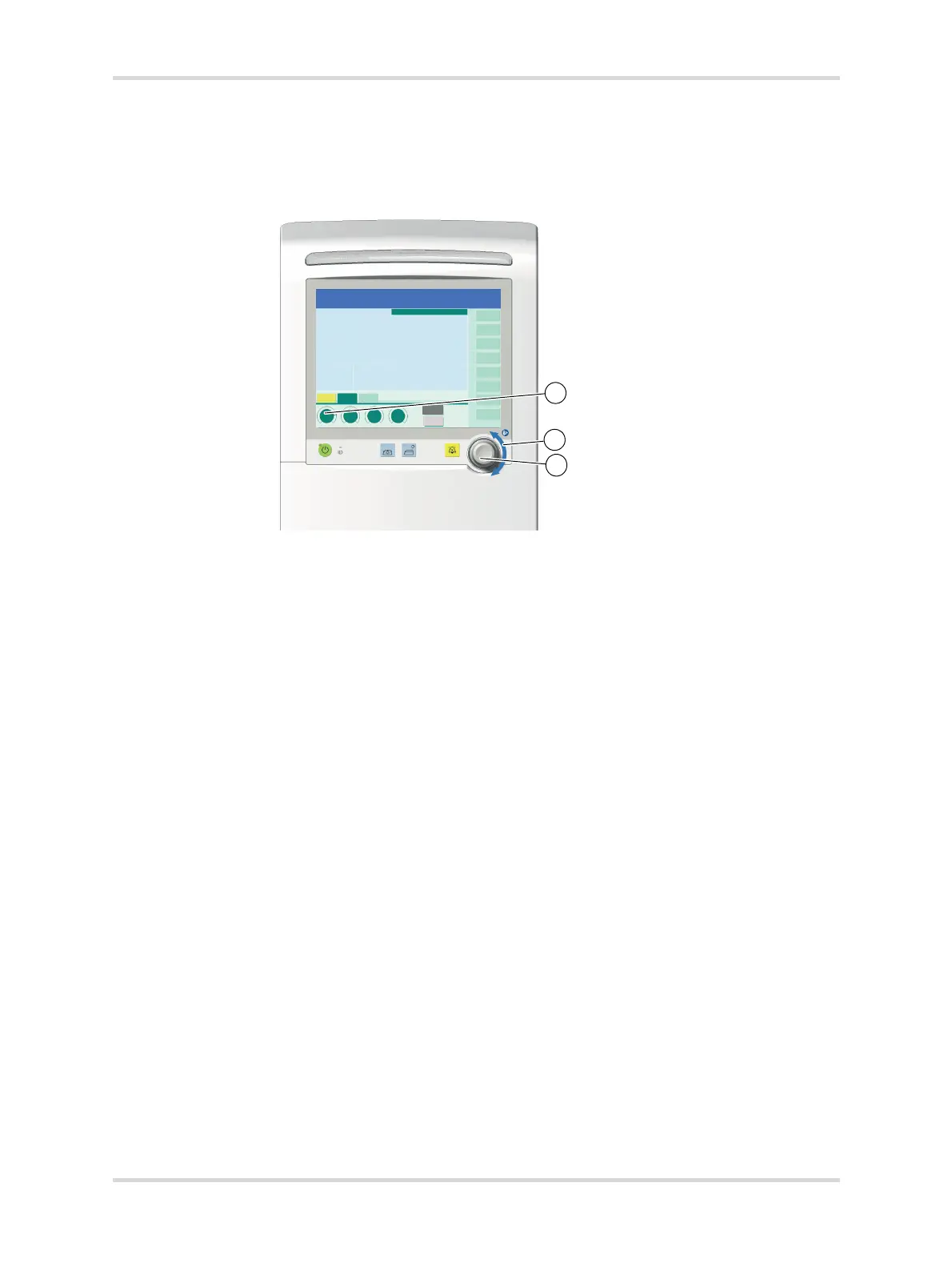
1 Touch the therapy control (1) on the user interface (e.g., the Skin temp. tab).
The therapy control turns yellow.
Fig. 19 Setting a parameter
2 Turn the rotary knob (2) to the right or left to set a parameter (e.g., the skin
temperature value).
The desired value is displayed in the therapy control.
3 Press the rotary knob (3) to confirm.
The selected value is adopted.
✓ The therapy control turns dark green.
4.1.3 Colors of the control elements
Colors indicate the availability of functions and settings, e.g., for the following
control elements:
– Therapy controls and buttons
– Rotary knob
– Therapy bar
– Dialog windows
The following illustration shows the color scheme for the tabs:
30608



 To Next Page