70 Instructions for use Babyleo TN500 SW 1.0n
Operation
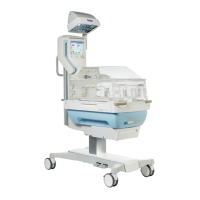
The Standard function or the Eco function can be selected for the transition
between incubator operation and radiant warmer operation. For further
information, see the following chapter: ''Configuring the transition'' (page 76).
The Standard function automatically activates the ClearView on setting. The
ClearView on setting can only be deactivated when the Eco function is
selected.
6.5.2 Modes in incubator operation
To regulate the temperature in the patient compartment, the following modes are
available in incubator operation:
– Skin temperature mode
– Air temperature mode
– Kangaroo mode
If the device is switched on with the hood closed, it is automatically operated in
air temperature mode.
For further information, see the following chapter: ''Skin temperature
mode'' (page 77)
For further information, see the following chapter: ''Air temperature
mode'' (page 85)
For further information, see the following chapter: ''Kangaroo mode'' (page 104)
6.5.3 Settings in incubator operation
The following settings can be made in incubator operation:
– Skin temperature (skin temperature mode), air temperature (air temperature
mode)
– Humidity
– Oxygen (option)
– Mattress core temperature (option)
– ClearView
For further information, see the following chapter: ''Humidity'' (page 94)
For further information, see the following chapter: ''Oxygen (option)'' (page 96)
For further information, see the following chapter: ''Heated mattress
(option)'' (page 100)
For further information, see the following chapter: ''Kangaroo mode'' (page 104)
In incubator operation set the lowest position for the mattress tray so that there
is as much space as possible for the patient. This position also offers good
access to the patient.



 To Next Page