86 Instructions for use Babyleo TN500 SW 1.0n
Operation
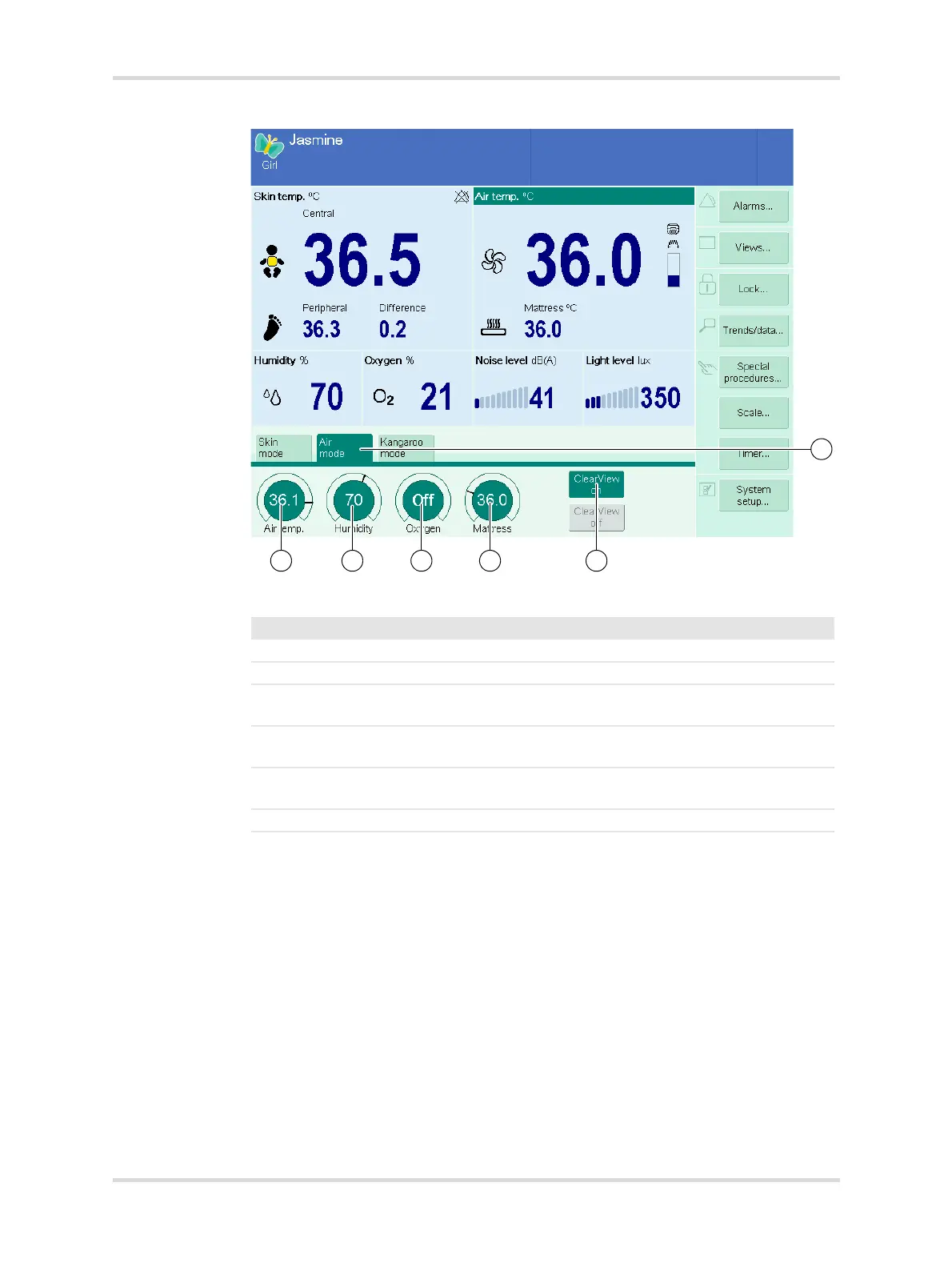
Fig. 44 Main screen with air temperature mode activated
27240
No. Designation Description
1 Air mode Selects air temperature mode.
2 Air temp. Used for setting the air temperature.
3 Humidity Used for setting the humidity in the patient
compartment.
4 Oxygen (option) Used for setting the oxygen concentration in
the patient compartment.
5 Mattress (option) Used for setting the mattress core tempera-
ture.
6 ClearView on Limits fogging of the hood.



 To Next Page