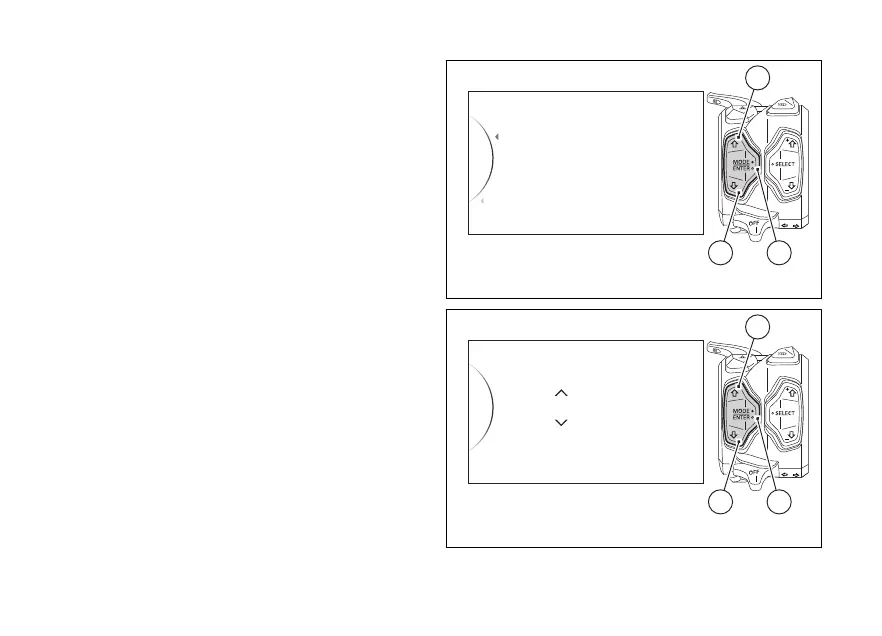
Highlight the "Date" indication and press button (4).
When two arrows are displayed on the year
indication, they give the possibility to set it:
- Press button (1) to increase year value by 1
(“2000”, “2001”, .....“2099”, “2000”);
- Press button (2) to decrease year value by 1
(“2099”, “2098”, .....“2000”, “2099”);
- once you reach the year to be set, press button (4)
to confirm: the arrows move to the “month”
value to allow setting it.
When two arrows are displayed on the month
indication, they give the possibility to set it:
- press button (1) to increase the month by 1 (“01”,
“02”, .....“12”, “01”);
- press button (2) to decrease the month by 1
(“12”, “11”, .....“01”, “12”);
- once you reach the month to be set, press button
(4) to confirm: the arrows move to the “day”
value to allow setting it.
When two arrows are displayed on the day indication,
they give the possibility to set it:
- press button (1) to increase the day by 1 (“01”,
“02”, .....“31”, “01”);
2016 / 01 / 20
...
Date
Back
Clock
Back
42
1
Fig. 103
2016Date / 01 / 20
Set...
...
42
1
Fig. 104
155













 To Next Page