Call management (LAST CALLS)
This function is available for the ROAD (Fig. 9) display
mode only.
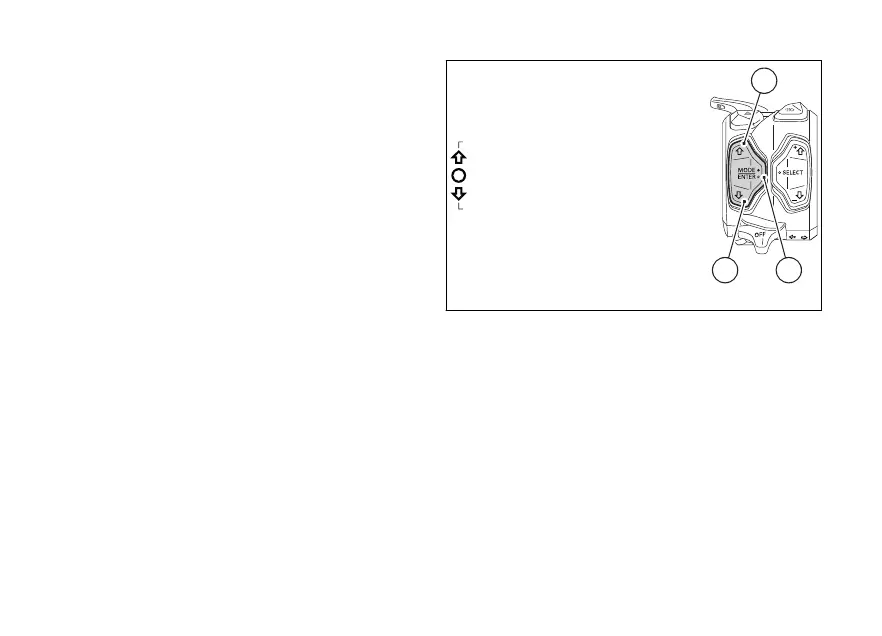
To select this function in the Function Menu, scroll the
functions available using buttons (1) and (2) to display
“LAST CALLS”.
This function shows a list of the last calls missed,
made or received.
The LAST CALLS function is only available in the
Function Menu if the Bluetooth module is available
and one Smartphone is connected.
Press button (4): when opening this function, a list of
maximum 7 calls is displayed - these could be missed,
made or received calls.
The instrument panel displays the corresponding
name(s) or phone number(s). Use buttons (1) and (2)
to scroll the list and press button (4) to call the
displayed name or phone number.
If list includes no calls, the instrument panel displays
“EMPTY” within the Function Menu.
To exit the function and go back to the previous
screen, press button (2) for 2 seconds.
Fig. 41
102













 To Next Page