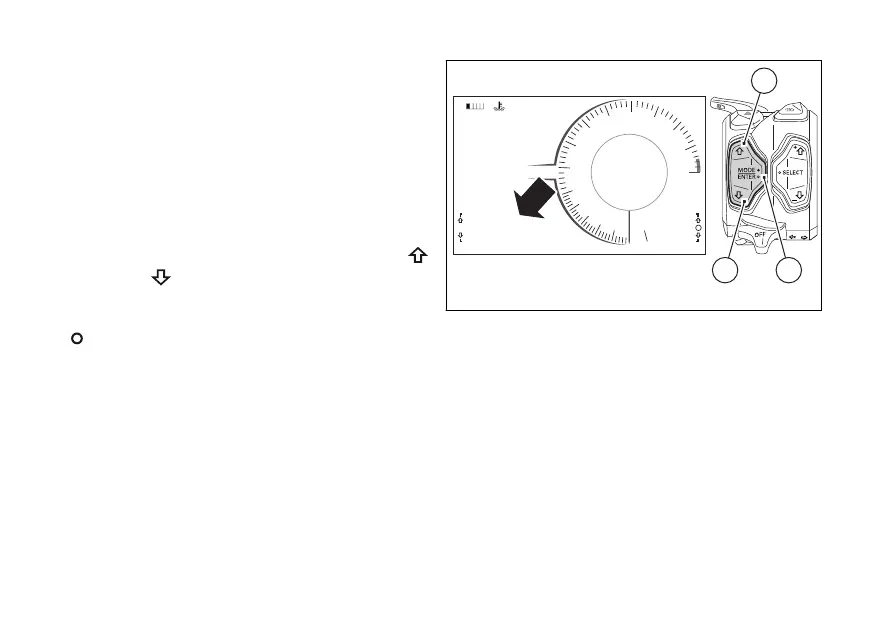
Function menu
From the main screen, press button (1) or (2) on LH
switch to scroll through Function Menu.
Whenever button (1) is pressed, instrument panel will
increase the "position" (from first position to last
position, and back to the first one). Whenever button
(2) is pressed, instrument panel will decrease the
"position" (from last position to first position, and back
to the last one).
In Function Menu box, on the LH side, are the UP
and DOWN
arrows - corresponding to button (1)
and button (2) on LH switch - indicating the chance to
scroll through the functions. The empty circle symbol
is displayed when it is possible to interact with
the displayed function by pressing button (4) on LH
switch, for instance to reset trip meter 1 (TRIP 1, page
88).
Based on the set Info Mode and Riding Mode, the
Function Menu can display different functions.
All functions available in the Function Menu are:
- Odometer (TOT)
- Trip meter 1 (TRIP 1)
- Average Fuel Consumption (CONS. AVG 1)
- Average speed (SPEED AVG 1)
- Trip time (TRIP 1 TIME)
- Ambient air temperature (T AIR)
- Partial fuel reserve counter (TRIP FUEL)
- Trip meter 2 (TRIP 2)
- Instantaneous fuel consumption (CONS. I.)
- Lap time disabling/enabling (LAP Off / On)
visible in TRACK info mode only (Fig. 8)
- Player management disabling/enabling (PLAYER
Off / On)
only if BT module is available and a smartphone is
connected; visible in ROAD info mode only
(Fig. 9)
0
11:34
A.M.
RACE
Lap Off
RPM X 1000
Gear
km/h
N
10
9
8
7
6
5
4
3
2
1
11
12
13
14
15
DTC 5
DQS OFF
DWC 8
SETTING MENU
TRIP 1
137.4 km
TOT km
1245
LO HI
1
42
Fig. 28
85













 To Next Page