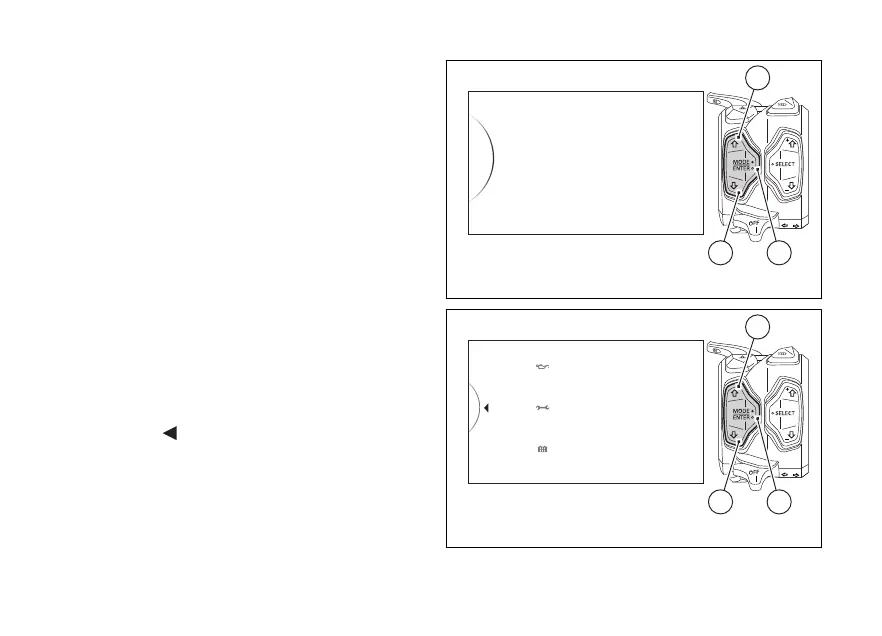
Service thresholds display (Service)
This function informs the user on the deadlines for
the indications of Oil Service (in Km or miles), Desmo
Service (in Km or miles) and Annual Service (date).
Enter the SETTING MENU.
Use buttons (1) and (2) to select "Service" and press
button (4).
When entering this function, the instrument panel
will list for each type of maintenance the relevant
indication upon reaching the maintenance threshold:
- Oil service with logo and mile (or km) countdown
to the next OIL SERVICE;
- Desmo service with logo and mile (or km)
countdown to the next DESMO SERVICE;
- Annual service with logo and Annual Service
expiration date.
To exit the menu and go back to previous page
highlight the "
Back" indication and press button
(4).
Service
Tire Calibration
DRL
Date and Clock
Units
42
1
Fig. 117
Oil Service
- XXXX km
Desmo Service
- XXXX km
Annual Service
----/--/--
Back
...
42
1
Fig. 118
165













 To Next Page