DRL (Daytime Running Light)
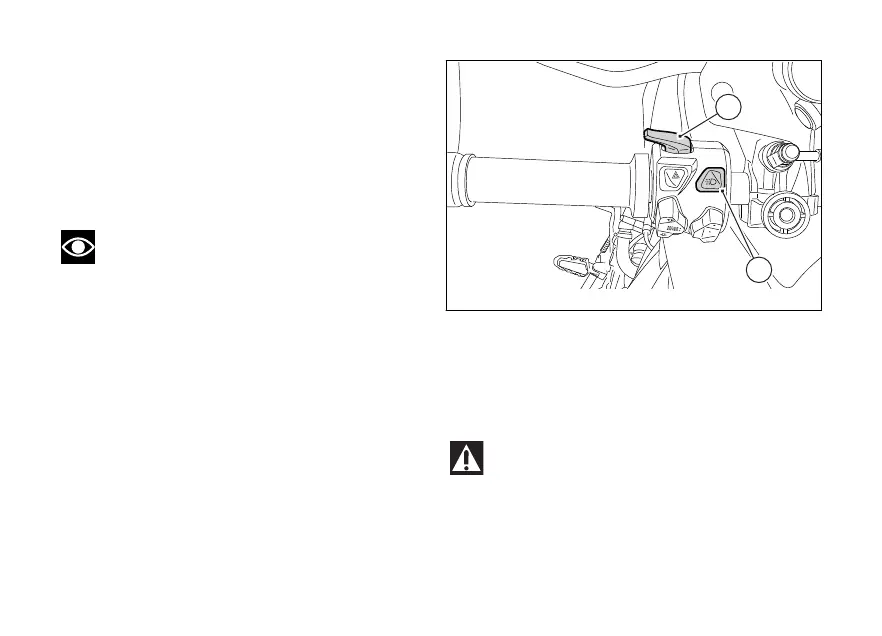
Upon Key-On, the DRL lights are turned on (DRL
lights are not present in China, Canada and Japan
versions). It is possible to switch off the DRL lights by
means of button (9) on the left-hand switch. By
pressing button (9) again, the DRL lights are switched
on again.
Note
Every time button (9) is pressed, the DRL light
automatically switches to MANUAL mode. To go back
to the AUTO mode, turn the Key Off and On or set the
AUTO mode by means of the DRL CONTROL function
in the Setting Menu.
By pressing button (3), the high and low beams are
turned on whereas the DRL light is turned off. Upon
releasing the button (3), the DRL light is automatically
switched on again.
DRL in AUTO mode
If the DRL is in this mode, when starting the engine it
automatically switches off and the low beam is
activated if the instrument panel detects poor light
conditions (NIGHT). If the instrument panel detects
good light conditions (DAY), the DRL remains on and
the low beam off: in this mode, the instrument panel
automatically switches from the DRL light to the low
beam and vice versa, according to the detected
ambient light conditions. The display shows the green
logo with letter A.
Warning
Using the DRL light in AUTO (automatic) mode
in case of poor light conditions, especially in case of
fog or clouds, could impair safety: in this case DUCATI
recommends to manually activate the low beam.
Fig. 175
219













 To Next Page