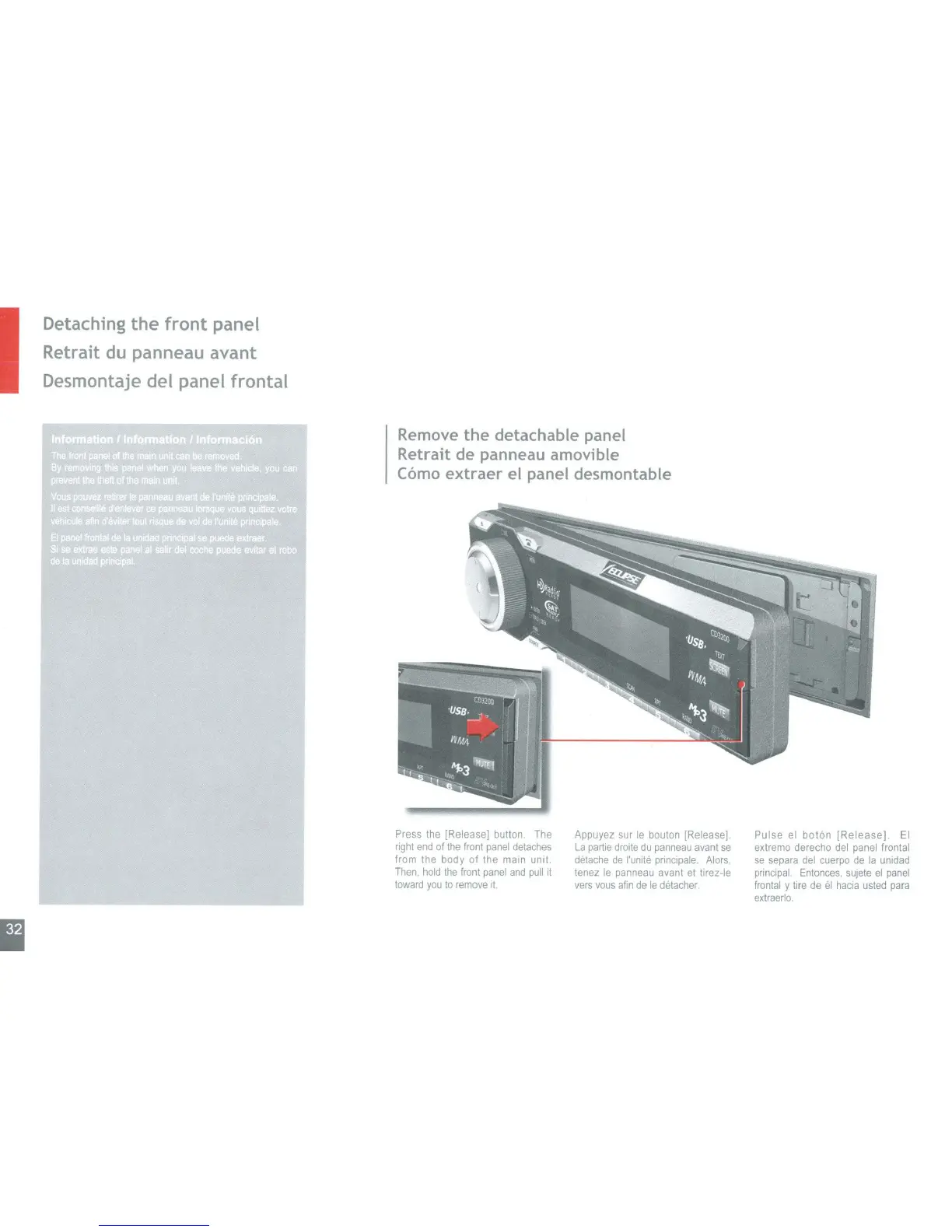
Remove the detachable panel
Retrait de panneau amovible
Como
extraer el panel desmontable
I
Detaching the front panel
Retrait
du
panneau avant
Desmontaje del panel frontal
Press the [Release] button. The
right
end
of
the
front panel detaches
from the body
of
the main unit.
Then. hold
the
front panel
and
pull it
toward
you
to
remove
It.
Appuyez sur
Ie
bouton [Release]
La
partie drolte
du
panneau avant
se
detache
de
I'unite principale. Alors,
tenez
Ie
panneau avant et tirez-Ie
vers vous
afin
de
Ie
detacher
Pulse
el
boton
[Release].
EI
extremo derecho del panel frontal
se
separa del cuerpo de
la
unidad
principal. Entonces, sujete
el
panel
frontal y tire de
el
hacia usled
para
extraerlo.



 To Next Page