EasyManua.ls Logo

Eclipse CD3200 - Page 65

Eclipse CD3200
177 pages
Print Icon
To Next Page IconTo Next Page
To Previous Page IconTo Previous Page
Loading...
Names
of
controls
and parts
PWR
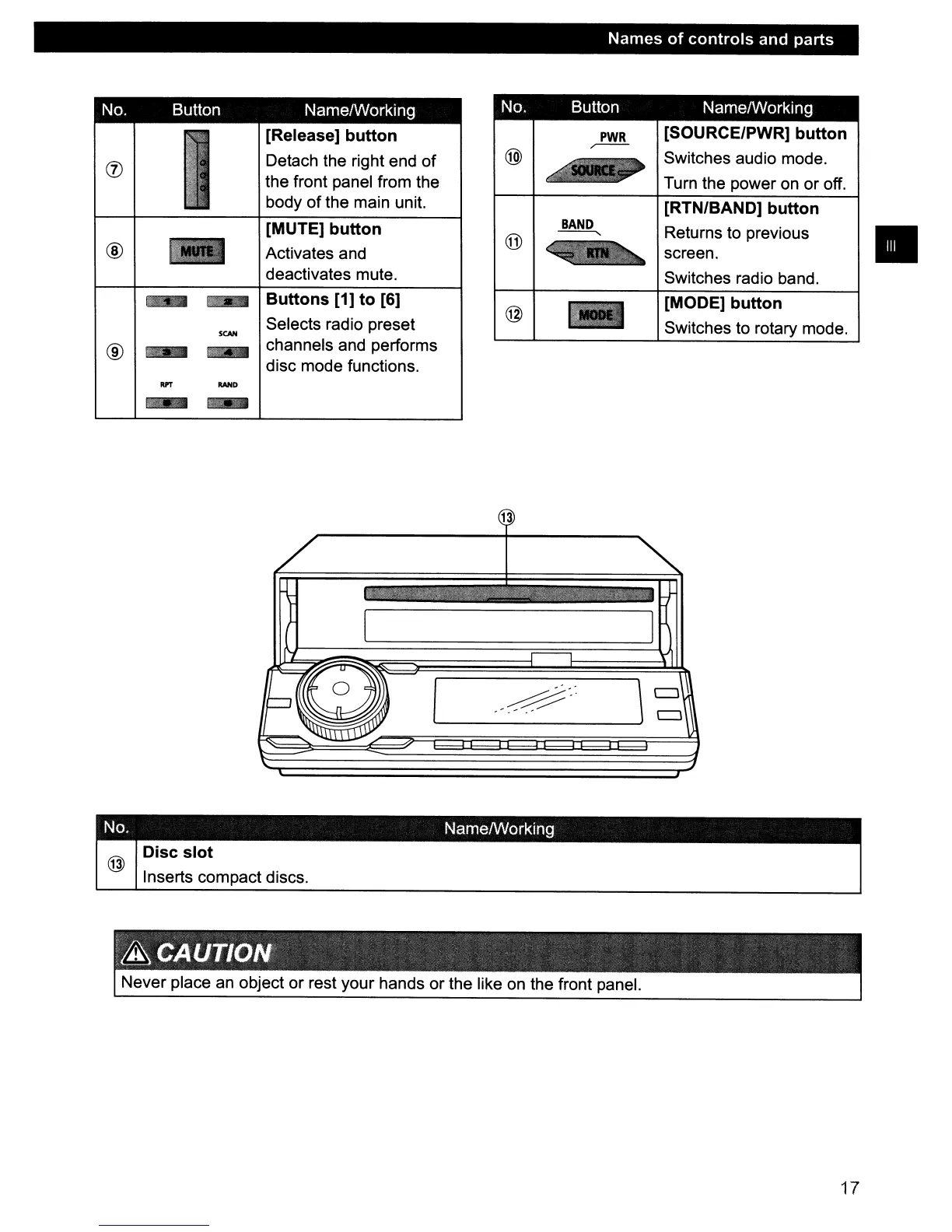
[SOURCE/PWR] button
@)
,--
~
Switches audio mode.
Turn the power on or off.
[RTN/BAND] button
BAND
Returns to previous
@
-----.
screen.
Switches radio band.
@
[MODE] button
Switches to rotary mode.
No. Button NamelWorking
No.
Button NamelWorking
I
[Release] button
(j)
Detach the right end
of
the front panel from the
body of the main unit.
[MUTE] button
®
-
Activates and
deactivates mute.
.-
Buttons [1] to [6]
SCAN
Selects radio preset
®
....
-
channels and performs
disc mode functions.
OPT
RAND
-
....
13
/
~
-
I I
~81-1
..
\~
~:
#
...
~
-
."
I
~
No. NamelWorking
Disc
slot
@
Inserts compact discs.
Never place
an
object or rest your hands or the like
on
the front panel.
17

Table of Contents

Other manuals for Eclipse CD3200

Related product manuals