153
Technical Publication Document NO: SYSTEM-007-ENG (Ver.1.1)
HF-525Plus Installation, Operation and Service Manual
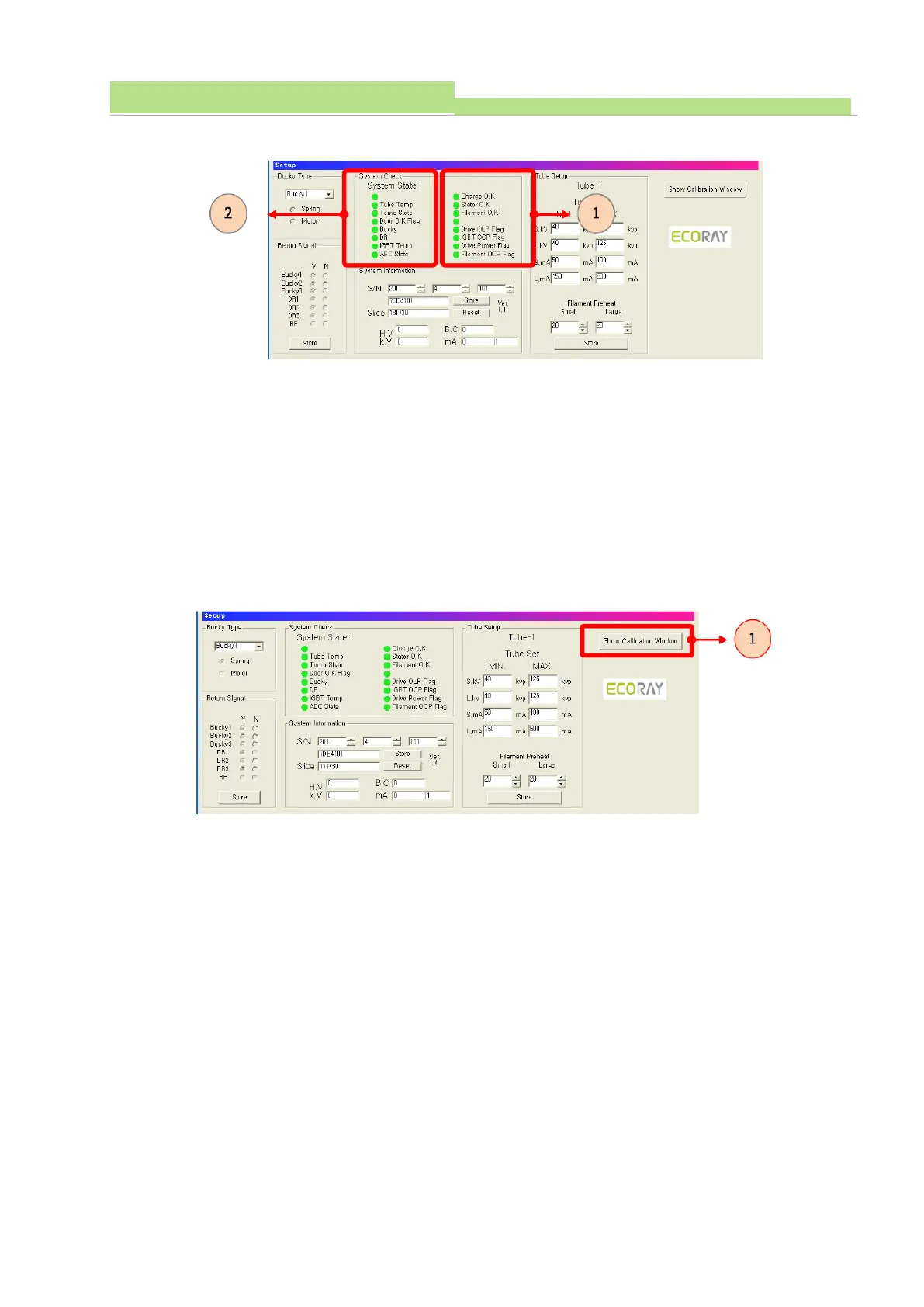
6.6.4 System Check
● The indication of “No 1” indicates the state of product (see No 1of the above fig).
● When the failure is detected, red indicator is lighting.
● When the red indicator is lighting, do not operating X-ray exposure.
● When the red indicator is lighting, reset PC and power of generator
● After reset, the red indicator is lighting still, it needs to repair.
● The indication of “No 2” indicates the state of other components and functions (see No 2of the above
fig). When it is connected in normal, green indicator is lighting. When it is not connected in normal,
red indicator is lighting.
6.6.5 Program execution for calibration
●Click “Show Calibration Window”(see No 1of the above fig).



 To Next Page