166
Technical Publication Document NO: SYSTEM-007-ENG (Ver.1.1)
HF-525Plus Installation, Operation and Service Manual
Select Bucky location like NO Bucky, Table Bucky,
Wall Bucky Stand.
Sub body part selection in APR
Select direction of exam in APR (AP, PA, LAT and
OBL)
7.2.5 How to use APR (Anatomical Programmable Radiography) function.
APR supports easy and quick operation when users make patients studies. When APR selected, the
programmed kV, mA, mAs value appear immediately for quick study completion. And users can
change the set values. (total combination is over 288)
NOTE▶
Users can change APR set values.
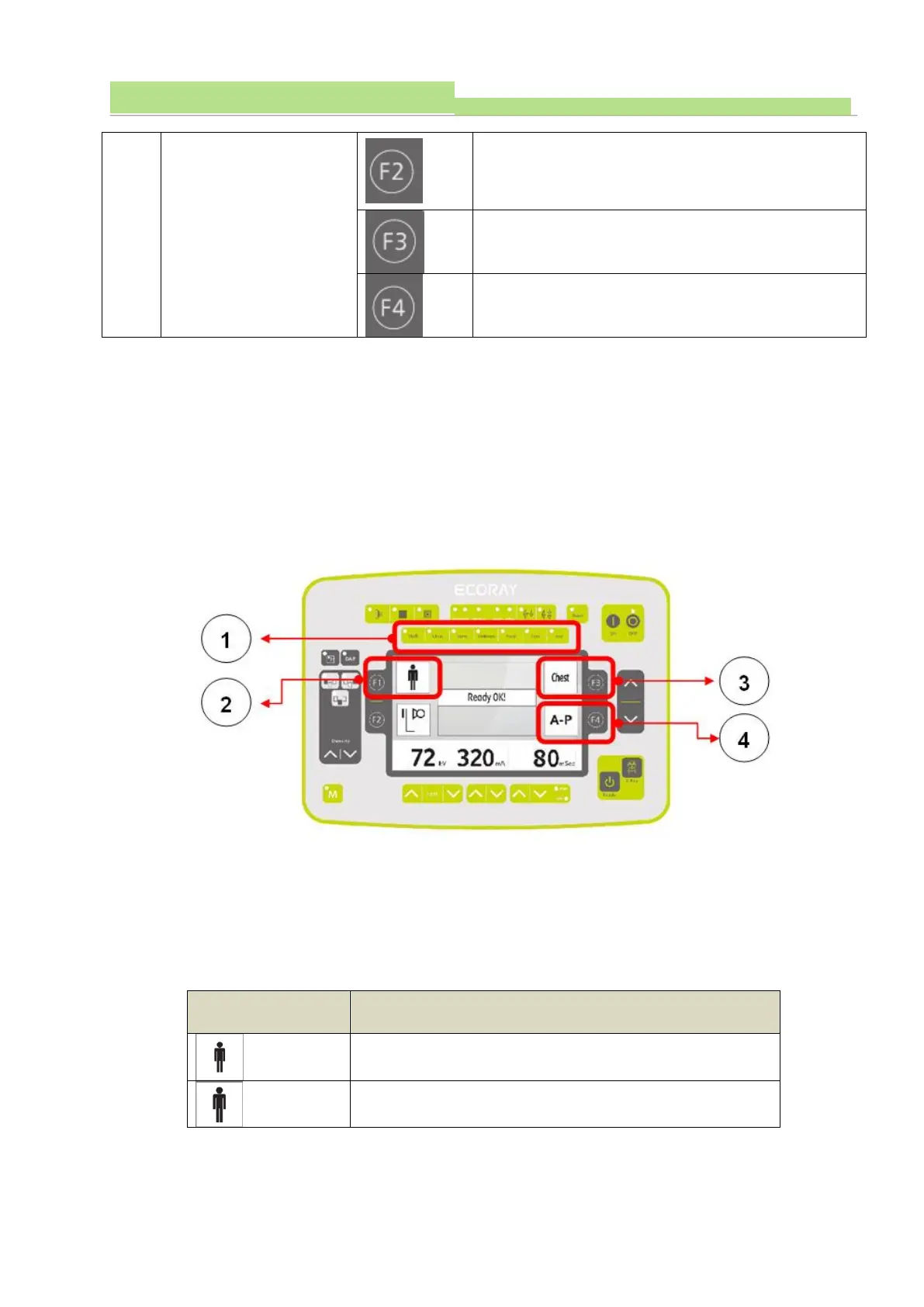
■ How to use buttons
● No.1
(1) select body part (main parts : Skull, Chest, Spine, Abdomen, Hand, Foot, Aux)
(2) body parts appear as icons, and selected part will have LED ON.
● No.2
(1) Select body type (body size) : S, M, L, Aux. and F1 key can change as following different types.


 To Next Page
 Loading...



