179
Technical Publication Document NO: SYSTEM-007-ENG (Ver.1.1)
HF-525Plus Installation, Operation and Service Manual
7.3.3 Collimator
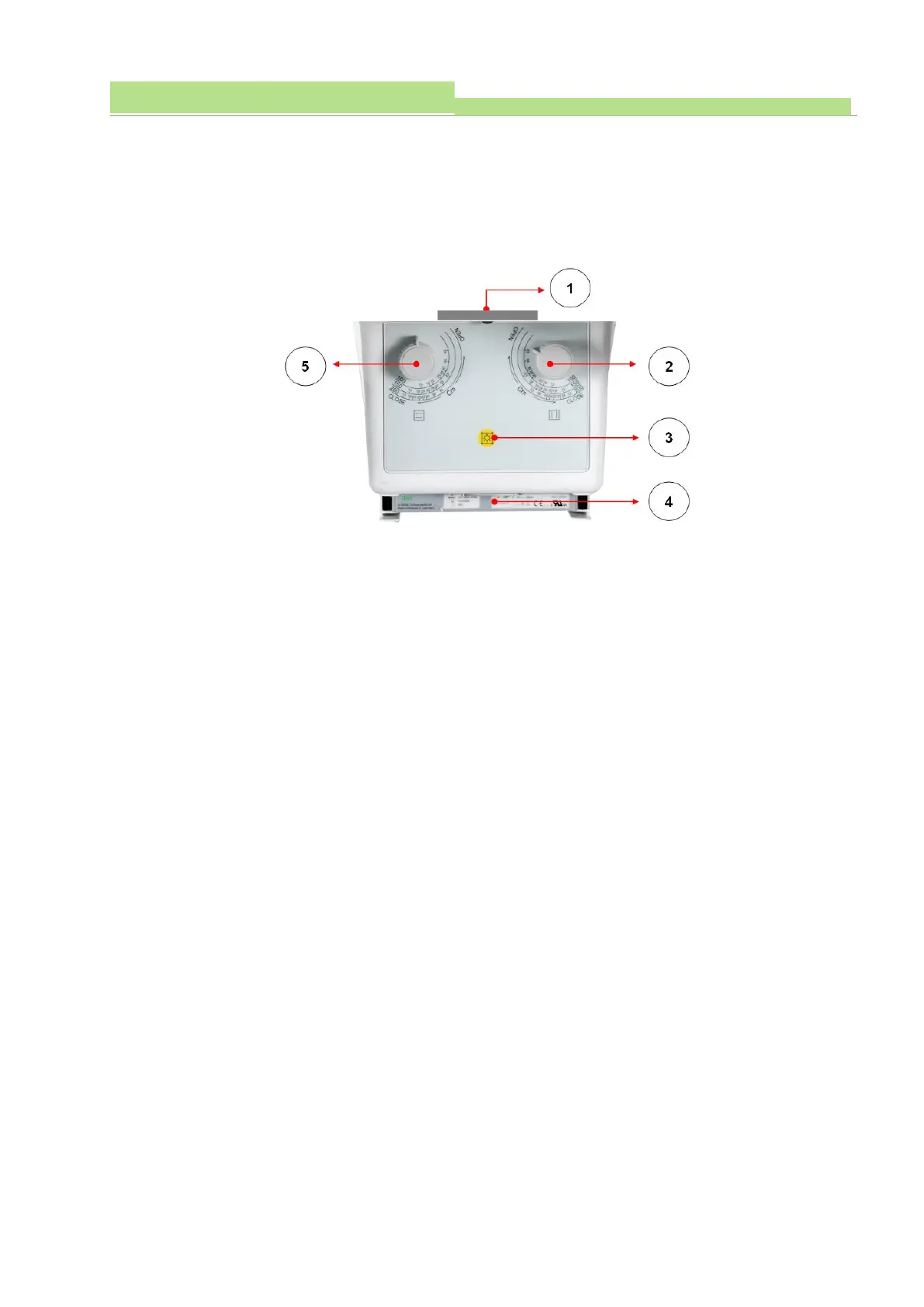
The collimator is a device that adjusts the X-ray to expose only the part of the patient's body that is
absolutely necessary to prevent the patient from being unnecessarily exposed to the X-ray when the
X-ray is taken. The configuration of the collimator consists of an X-ray emitter, an X-axis diaphragm, a
Y-axis diaphragm, a lamp operation switch, and a DAP meter.
■ How to use
● Figure1
(1) This is connected to the emission of the X-ray tube.
● Figure2
(1) Turn this aperture knob to adjust the irradiated area of the X-ray.
(2) Adjust the Y-axis knob (Figure 2), hold the knob (Figure 2) and turn it clockwise to increase the
irradiation area. Turn it counterclockwise to reduce the irradiation area.
● Figure3
(1) Before the X-ray irradiation, the lamp is operated as a method for confirming the X-ray irradiation
area, and it is the lamp operation switch (Figure 3).
(2) The operation of this collimator lamp is "ON" by pressing the operation switch (Figure 3). The lamp
operation is "ON" for 30 seconds after the switch operation and automatically "Off" after 30
seconds.
● Figure4 (Optional)
(1) When the DAP meter (Figure 4) is applied, it is fixed at the end of the collimator.
● Figure5
(1) Turn this aperture to adjust the irradiated area of the X-ray.
(2) Adjust the X-axis knob (Figure 5), hold the knob (Figure 5) and turn it clockwise to increase the
irradiation area and counterclockwise to reduce the irradiation area.
■ Collimator operation
● Allow the X-ray to enter the Bucky of the Table Bucky and Wall Bucky Stand with the collimator in a
vertical position.



 To Next Page