3-16
6205s BATHYMETRIC AND SIDE SCAN SONAR 0020300_REV_E
3.6.1 6205s-R Rack Mount Topside Interface
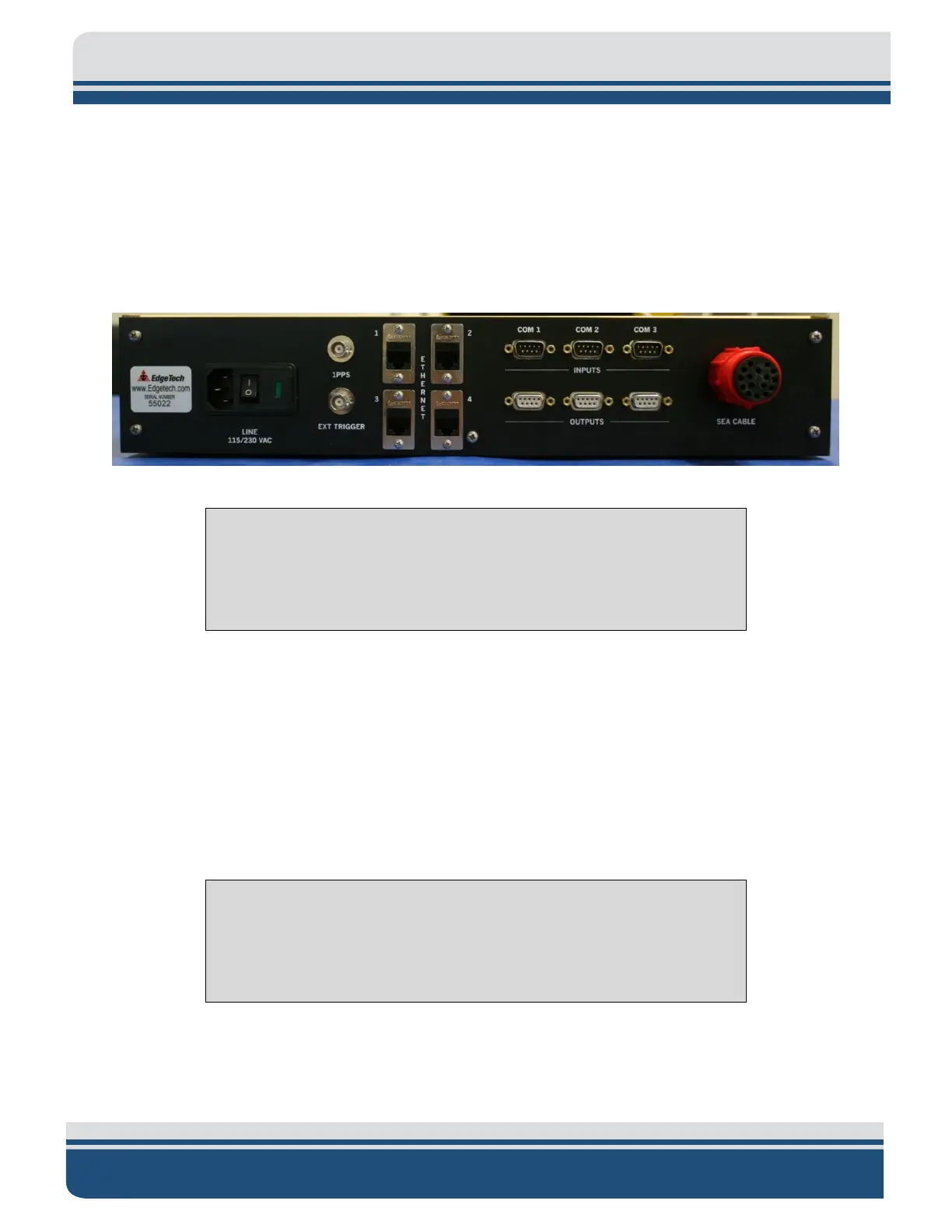
The 6205s-R Rack Mount Topside Sonar Interface Box was designed to slide into a 19-in Rack Mount
Optima Case. It provides three input serial ports, three output serial ports, four Ethernet ports, AC power
input, On/Off switch, and two BNC connectors that supply an input trigger and 1PPS sync. The serial and
Ethernet ports act as a dry connection to the sonar head for all ancillary information (i.e., position,
attitude, time, etc.) and data from the sonar head to the topside computer. These interfaces are shown
in F
IGURE 3-1.
Figure 3-1: Rack Mount Topside
NOTE: The customer must provide a computer to run the Discover
software application for the rack mount topside sonar interface box
option. Minimum computer requirements are found in sub-section 3.6.3
of this manual.
If the 6205s-R Rack Mount Topside Interface Box does not turn on, check the on/off switch on the back
panel. It is located next to the power plug.
3.6.2 6205s-P Portable Topside Interface
The 6205s-P Portable Topside Interface is a splash-proof design of the 6205s-R Rack Mount Interface box.
It offers all the same connections to the 6205s Sonar Head for the supporting sensors (i.e., GPS, MRU,
etc.) through a series of break out cables. The portable topside has an option for a laptop. The laptop is a
high-performance Getac, running Windows 10 operating system.
CAUTION!
The laptop’s performance changes when running on battery power.
Ensure the laptop is plugged in when operating the Sonar and acquiring
real-time bathymetry and side-scan data.



 To Next Page