8-74
6205s BATHYMETRIC AND SIDE SCAN SONAR 0020300_REV_E
Discover Bathymetry can also be used to check the correct configuration of the two units. The diagnostic
window, as shown in
FIGURE 8-14, should not report any errors. If errors are seen, review all changes made
in the above section. If errors persist, contact E
DGETECH CUSTOMER SERVICE.
8.3.6 SBG Ekinox/Apogee Configuration
The 6205s is compatible with the Ekinox / Apogee systems from SBG Systems. Follow the below steps to
configure the 6205s and the SBG for communication over the Ethernet interface via UDP.
• Required: All selected outputs at the same rate, recommended 25Hz or maximum 50Hz
• Required: EKF Euler (Provides Pitch, Roll, Heading)
• Recommended: Ship Motion 0 (Provides Heave)
• Optional: Inertial Data (Provides Accelerometers)
• Required: EKF Nav (for Ekinox or Apogee if you want Edgetech GGK and VTG generated)
• Required: UTC Time
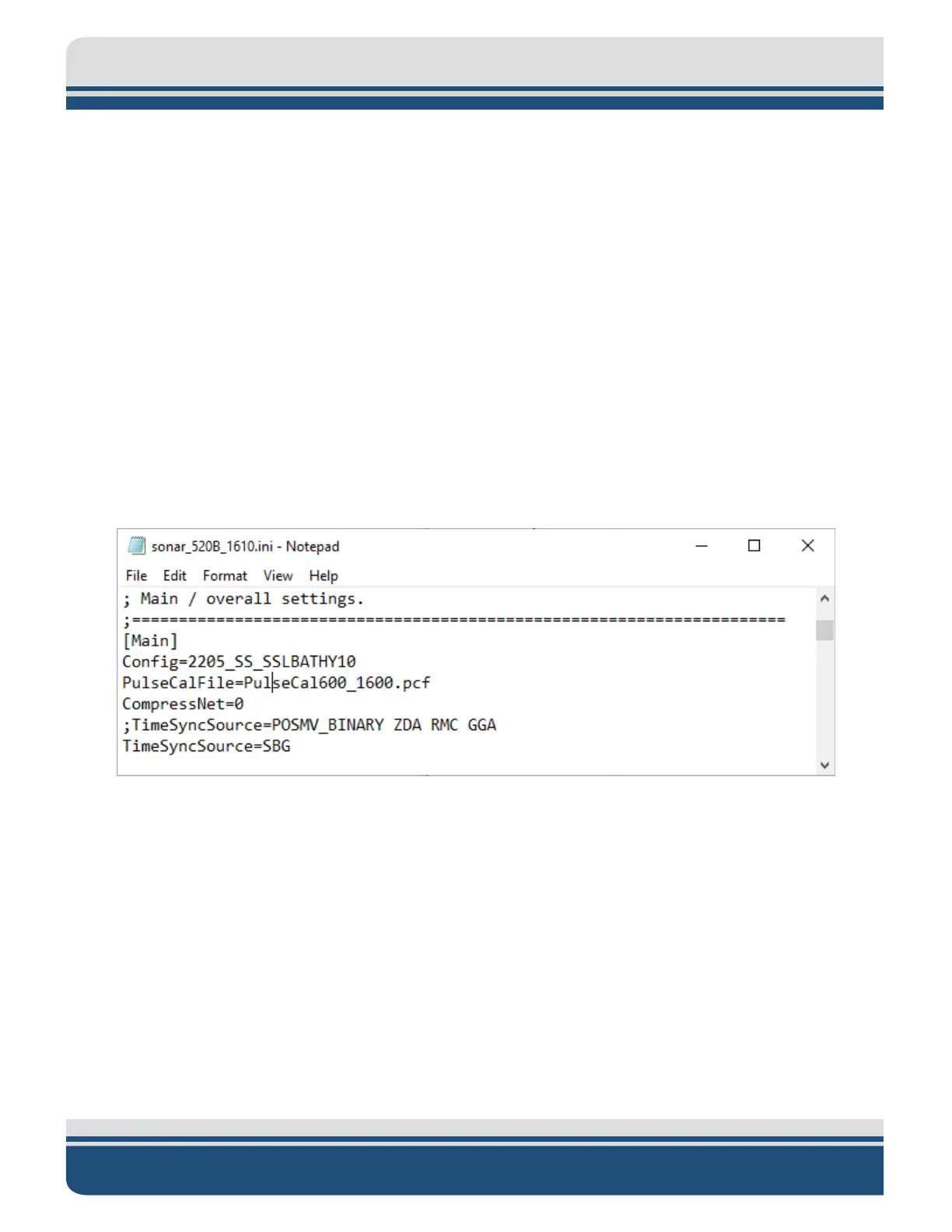
Figure 8-27: TimeSyncSource Keyword Adjustments



 To Next Page