8-67
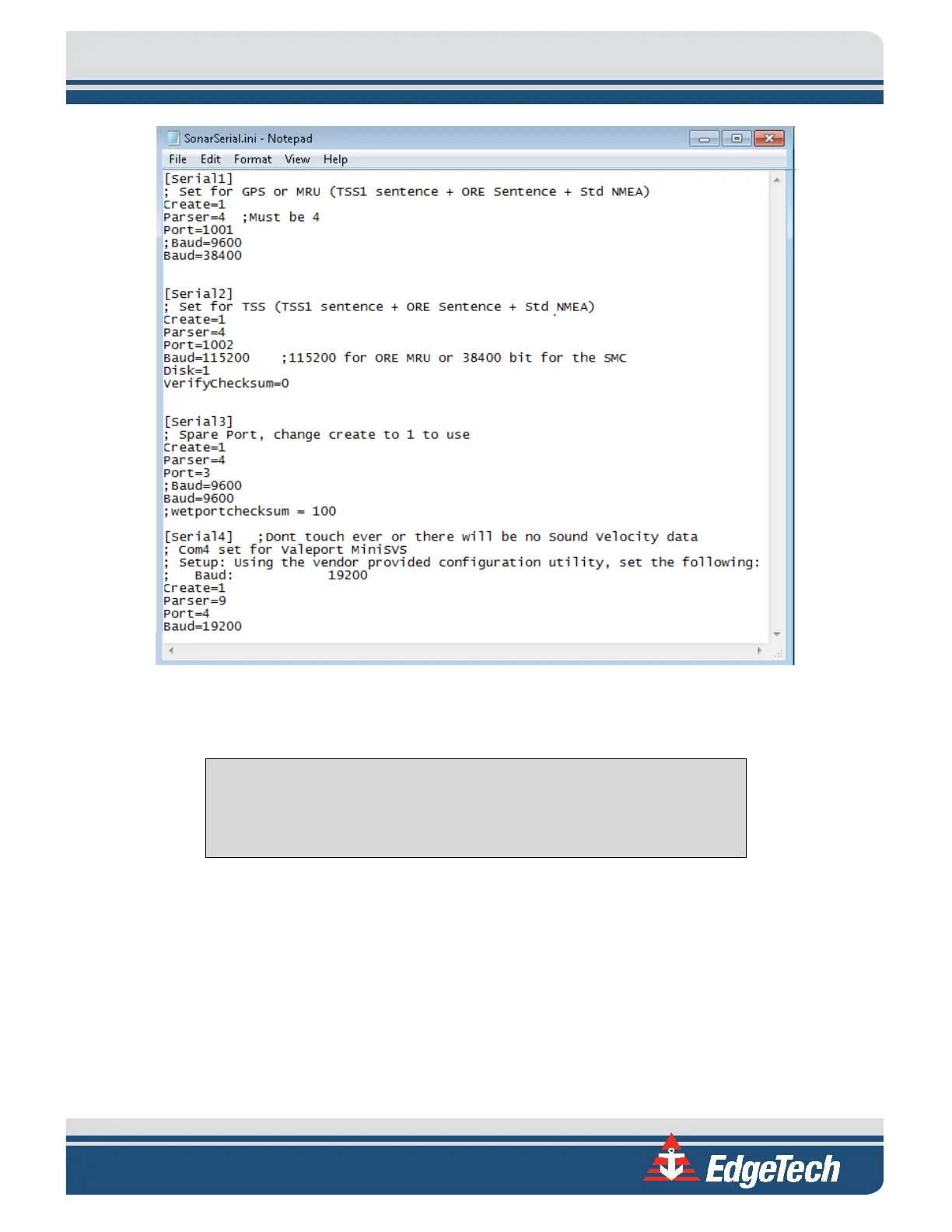
Figure 8-21: All Sensors Set
3. Select File > Save and close the file.
CAUTION!
Do not touch anything else, or the system’s configuration files could be
seriously compromised, and functionality may suffer.
4. Close the SonarSerial.ini file and reboot the Sonar Firmware by double-clicking on the Sonar icon
in the main Sonar Remote Desktop Screen, as shown in
FIGURE 8-15, designated by the green
arrow.
5. Now, plug in the devices into COM 1, COM 2, and COM 3. The Gyro should be connected to COM1,
the MRU COM2, and the GPS to COM3. The devices connected to COM1 or COM2 may be
interchanged, but the GPS must be connected to COM3.
6. Click Misc. at the top of Sonar screen, as shown in
FIGURE 8-16, then Serial Port Information.



 To Next Page