8-66
6205s BATHYMETRIC AND SIDE SCAN SONAR 0020300_REV_E
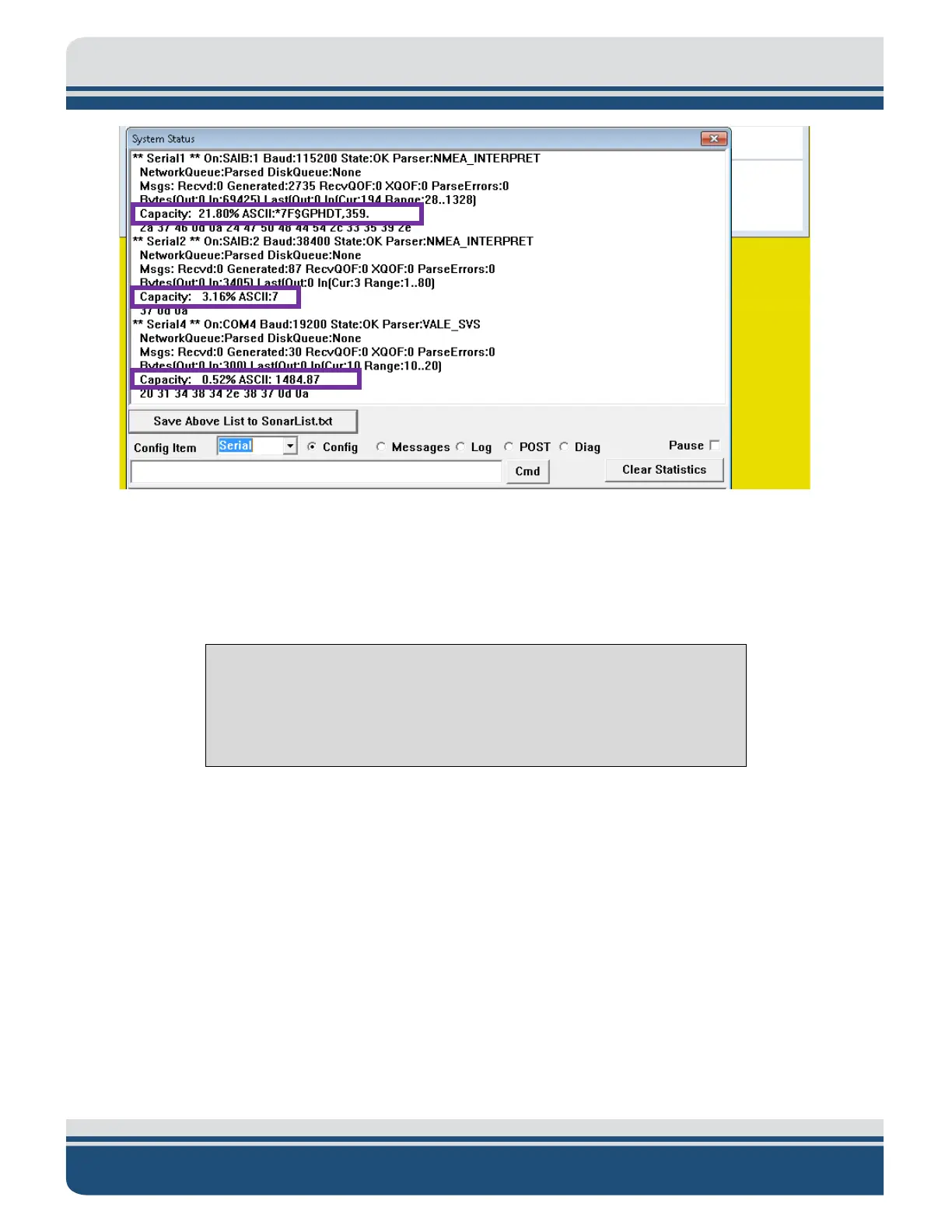
Figure 8-20: Checking Sensors’ Usages
12. When satisfied with incoming data, press OK in the ‘System Status’ window, as shown in
FIGURE 8-
20.
13. Finally, close the Sonar - 192.9.0.101 - Remote Desktop Connection window.
NOTE: If this window is left open during data acquisition, you may
experience a very slow computer because the Remote Desktop uses a
large amount of the link capacity to stay open. It is always wise to close
the Remote Desktop when finished with the configurations.
8.3.3 Three Sensors
Three sensors, such as a gyro (heading), a GPS (position and time source), and a Motion Reference Unit
(roll, pitch, and heave), may be used to supply the necessary information. For this type of configuration,
all available COM ports will be used.
The following steps should be carried out to configure the COM ports for the three sensors.
1. Follow steps (1.) through (6.) as stated previously under appendix sub-section O
NE SENSOR.
2. Make sure Create=1 under each [Serial#], as shown in
FIGURE 8-21.



 To Next Page