6-48
6205s BATHYMETRIC AND SIDE SCAN SONAR 0020300_REV_E
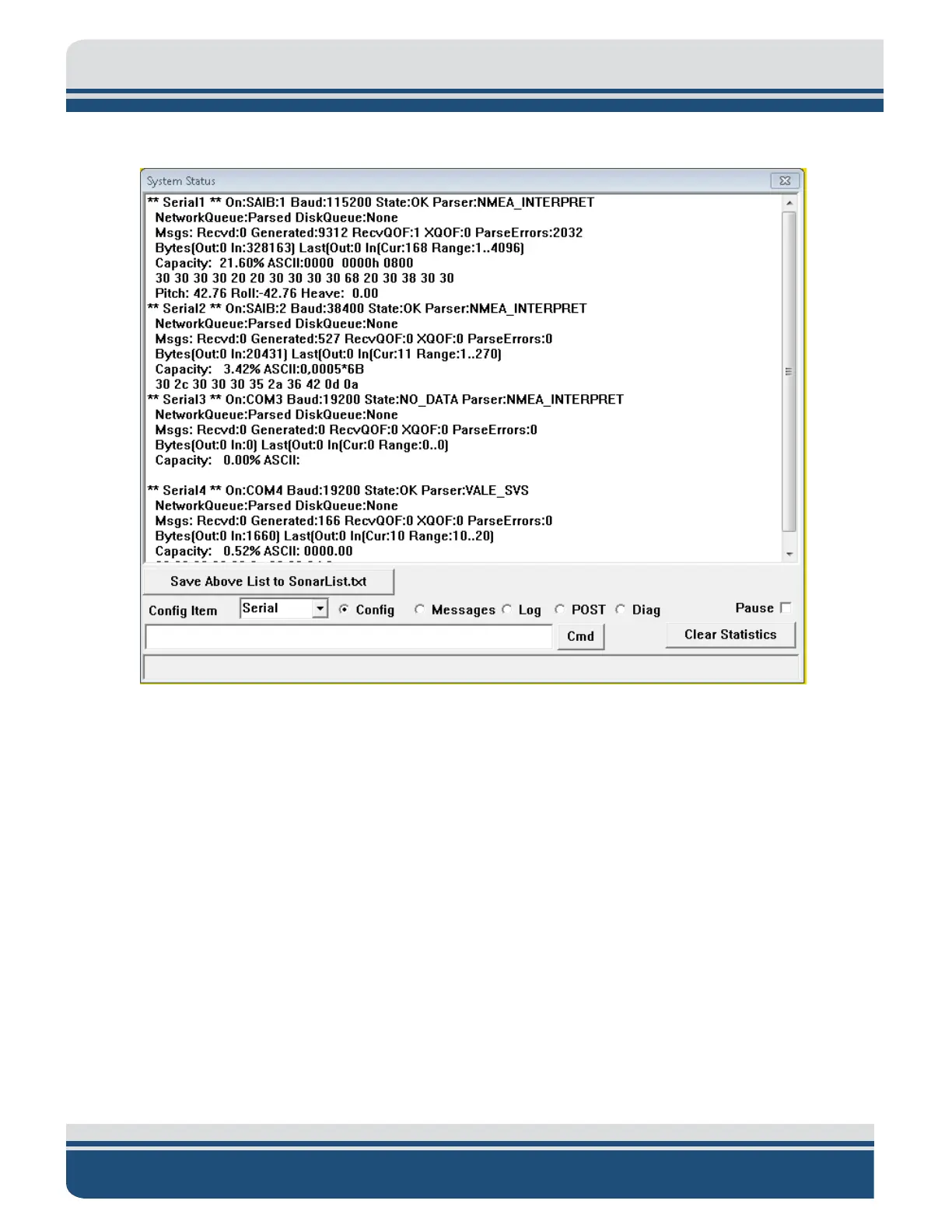
Check to make sure all sensors' usage percentages are well below 80%, as shown in
FIGURE 6-5.
Figure 6-5: Sensor Usage Percentage Check
7. If they are not, increase the baud rates of the sensors until these percentages drop. Make sure to
change the baud rate accordingly in Sonar.
8. When satisfied with the incoming data, press OK in the System Status window and close the Sonar
- 192.9.0.101 - Remote Desktop Connection window.



 To Next Page