8-53
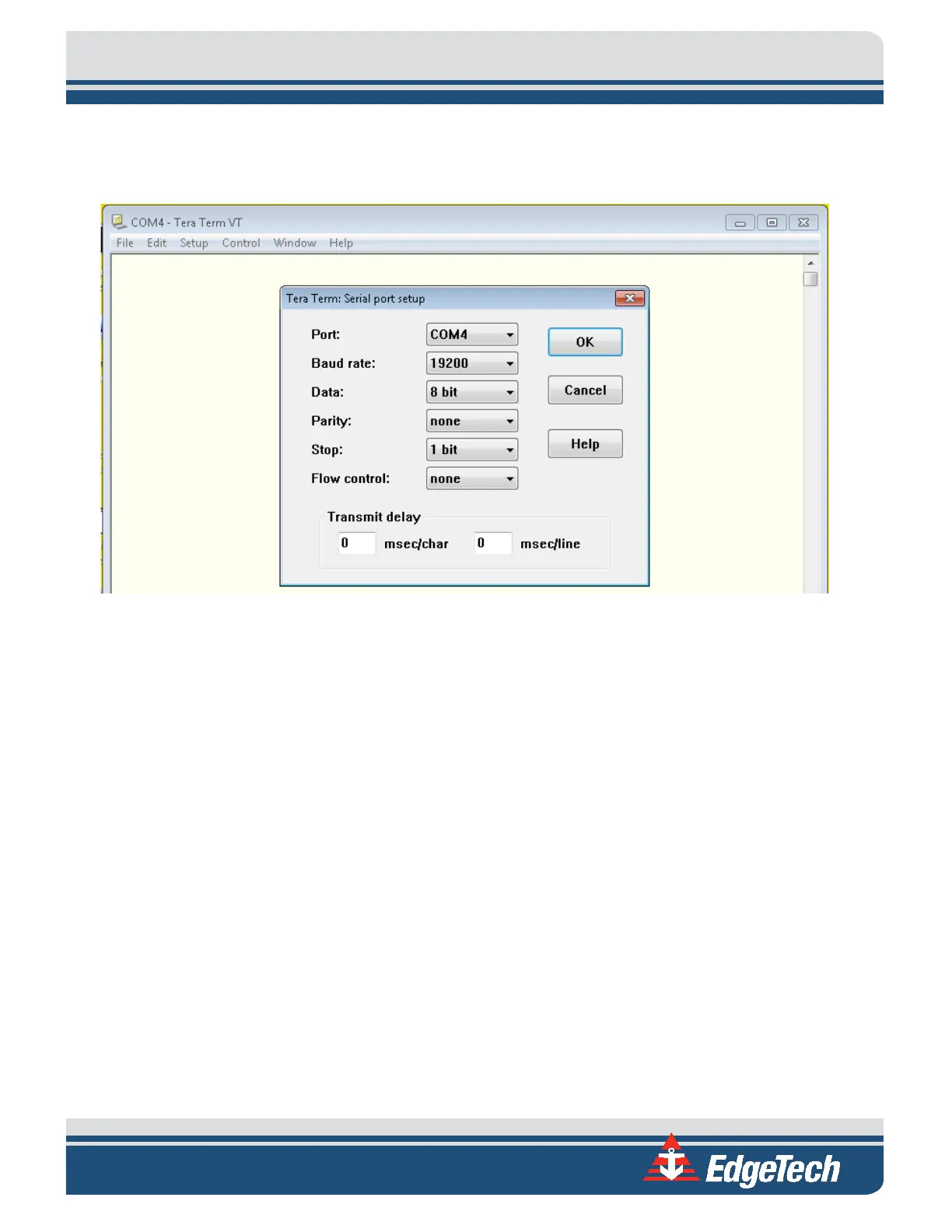
11. Now, choose Setup from the top menu and then Serial port.
12. Configure the serial port options, as shown in
FIGURE 8-5, and click OK.
Figure 8-5: COM4 Port Settings
13. Input the following commands:
Press <Enter> to start communications to SV sensor.
Type in “SET STARTUP NOHEADER” and press <Enter>.
Type in “SET STARTUP MONITOR” and press <Enter>.
Type in “SET SV FORMAT 42” and press <Enter>.
Type in “SET SV ZEROSUPPRESSION 5 seconds” and press <Enter>.
Type in “SET SVAVERAGE 4” and press <Enter>.
Type in “SET SAMPLE 1/S” and press <Enter>.
Type in “SET DETECT 06” and press <Enter>.
14. Cycle the power on the Sonar Head using the On/Off switch on the interface box. Allow the sonar
to be off for at least 10 seconds before turning it back on.
15. Reconnect to the sonar via the Remote Desktop and check COM4 using the Sonar application as
before in steps 3 and 4 above. SV data should not be scrolling as in:



 To Next Page