8-51
TROUBLESHOOTING
8.1 Troubleshooting the SV Sensor
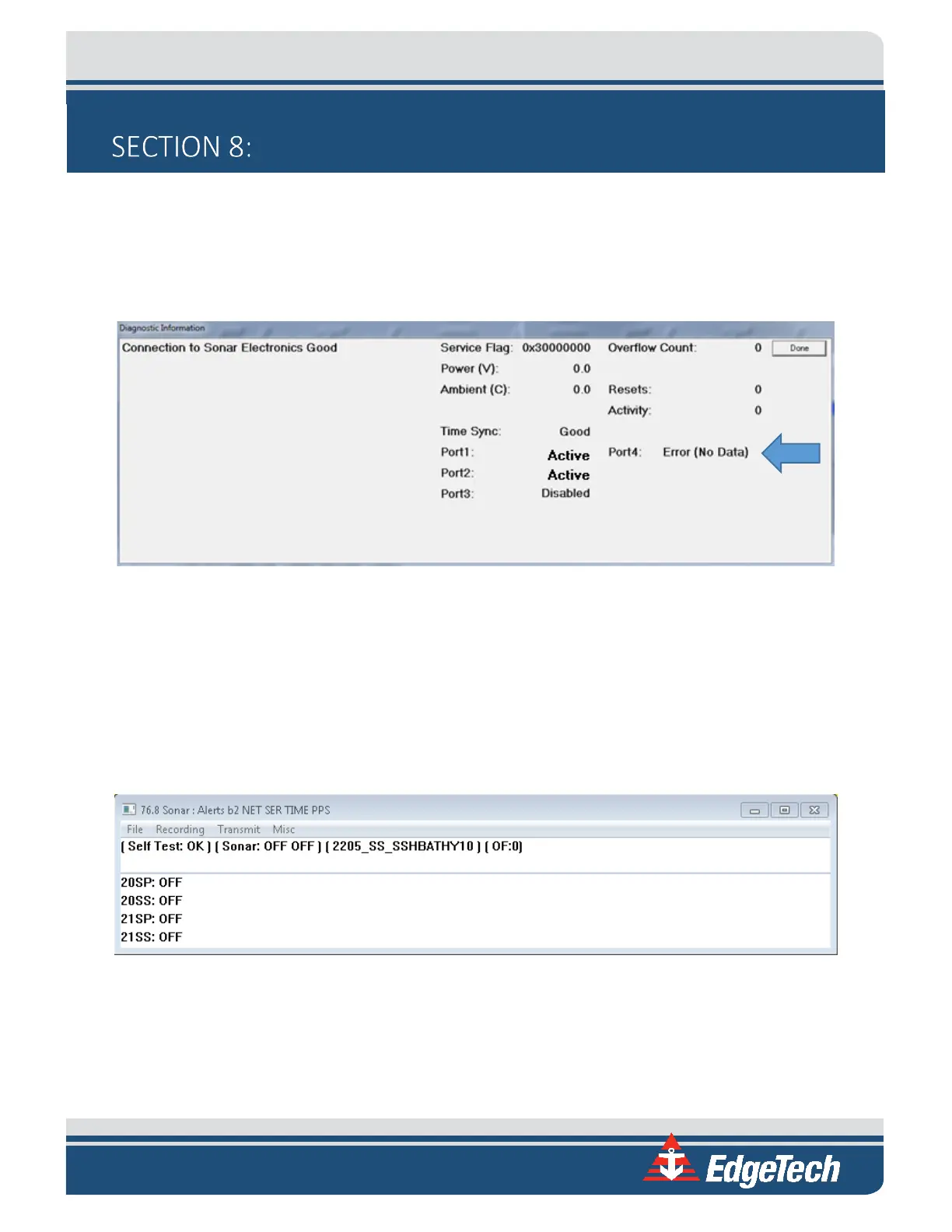
In some cases, the sound velocity sensor may not boot properly. If this occurs, Discover Bathymetric will
show a Port 4: Error on its Diagnostic Window, indicating that no sound velocity measurements are being
reported to the sonar head. An example of this error is shown in
FIGURE 8-1.
Figure 8-1: No Sound Velocity on Port 4
If this error persists longer than 30 seconds, follow the procedure below to resolve the issue:
1. Place the Sonar Head in water deep enough to submerge the SV probe (the bottom half of the
shell is submerged). This will submerge the sound velocity sensor as well.
2. On the Windows Desktop, launch Remote Desktop to Sonar. The following window should
appear:
Figure 8-2: Sonar 192.9.0.101 Remote Desktop Connection Window
3. Click on Menu > Misc > Serial Port Information.
4. Check Chan 4 on Com 4 from the dropdown list to see if there is any data being reported by port.



 To Next Page