8-60
6205s BATHYMETRIC AND SIDE SCAN SONAR 0020300_REV_E
CAUTION!
Do not alter the file in any way other than what has been specified.
This will deactivate COM ports 2 and 3. By deactivating these ports, Sonar will report to Discover
that only one sensor is to be used on COM1 to parse the necessary sensor information. Therefore,
Discover will not display any errors if a sensor is not connected to COM2 or COM3.
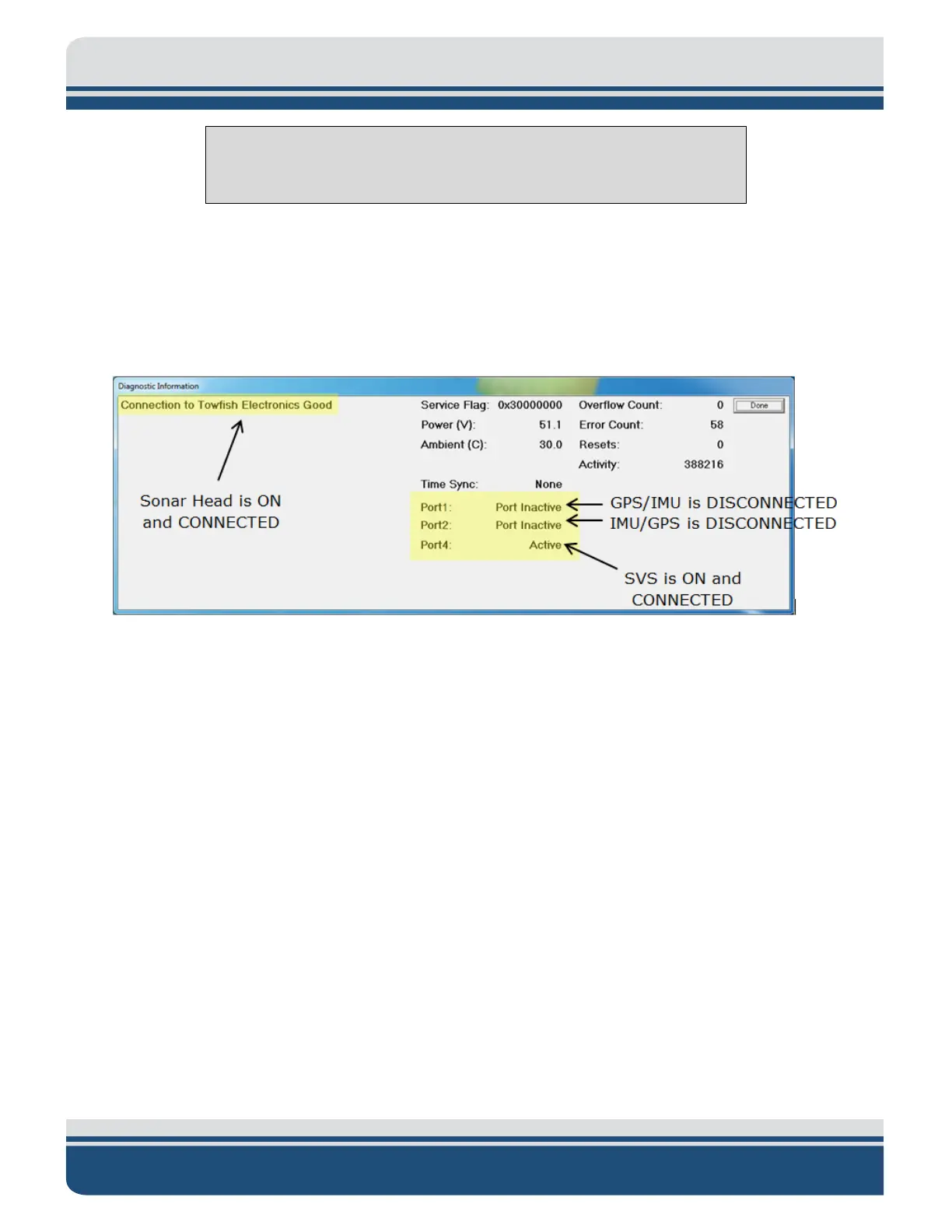
If steps 3 through 6 were not carried out, then these errors would be reported in the Diagnostic
window, as shown in
FIGURE 8-14.
Figure 8-14: Diagnostic Window, Reporting Ports Inactive Error
7. Close the SonarSerial.ini file and reboot the Sonar Firmware by double-clicking on the Sonar icon
in the main Sonar Remote Desktop Screen, as shown in
FIGURE 8-15, designated by the green
arrow.



 To Next Page