6-44
6205s BATHYMETRIC AND SIDE SCAN SONAR 0020300_REV_E
CONNECT TO SONAR
This section describes how to connect to the sonar, ensure all supporting data is present within the system
for proper operation, and correctly time sync the 6205s data. It also briefly describes the EdgeTech
Discover Bathymetric software. For more information, refer to
THE DISCOVER BATHYMETRIC SOFTWARE USER
MANUAL (0014878).
6.1 Connecting to Sonar via Remote Desktop
A user can connect to the 6205’s internal computer using Window’s Remote Desktop application and view
the sonar application (Sonar.exe) to check the status of the supporting data if a device is not connected
properly. If this is the case, Discover Bathymetric will display its diagnostic window and show which serial
port is causing the error. It is not recommended to connect to the sonar without EdgeTech support, except
for the Instructions Below.
There are two ways to connect to the 6205s Sonar depending on which interface box is connected:
1. 6205
S-R 2. 6205S-P
6.1.1 Connecting with the 6205s-R
If using a customer-supplied computer with the 6205s-R (Rack Mount) Interface Box:
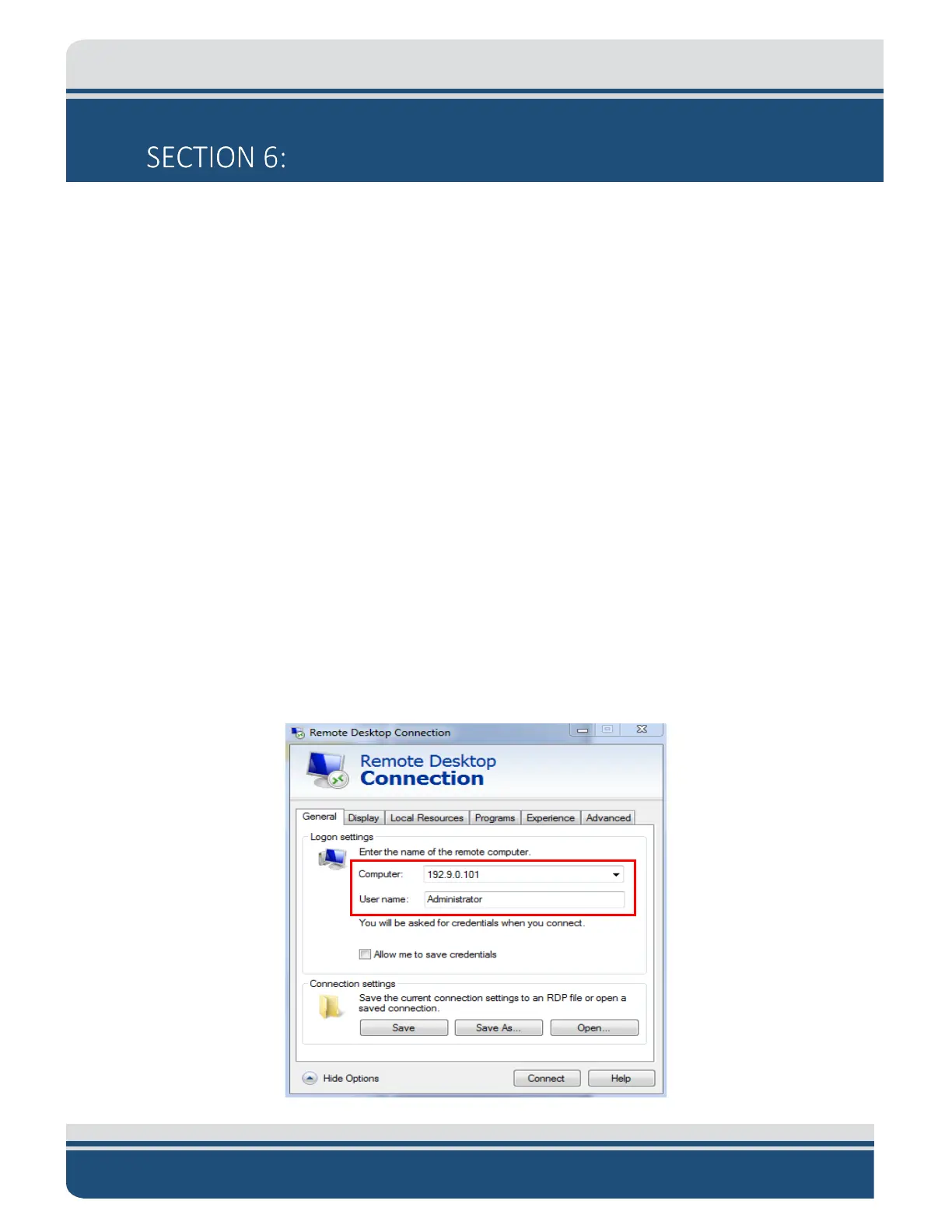
1. Navigate to the Remote Desktop. ‘Start’ button > All Programs > Accessories > Remote Desktop
Connection. Alternatively, click the ‘Start’ button, type mstsc in Search, and hit <Enter>. The
following window will appear:
Figure 6-1: Manual Remote Desktop Credentials for Customer Supplied Computer



 To Next Page