8-72
6205s BATHYMETRIC AND SIDE SCAN SONAR 0020300_REV_E
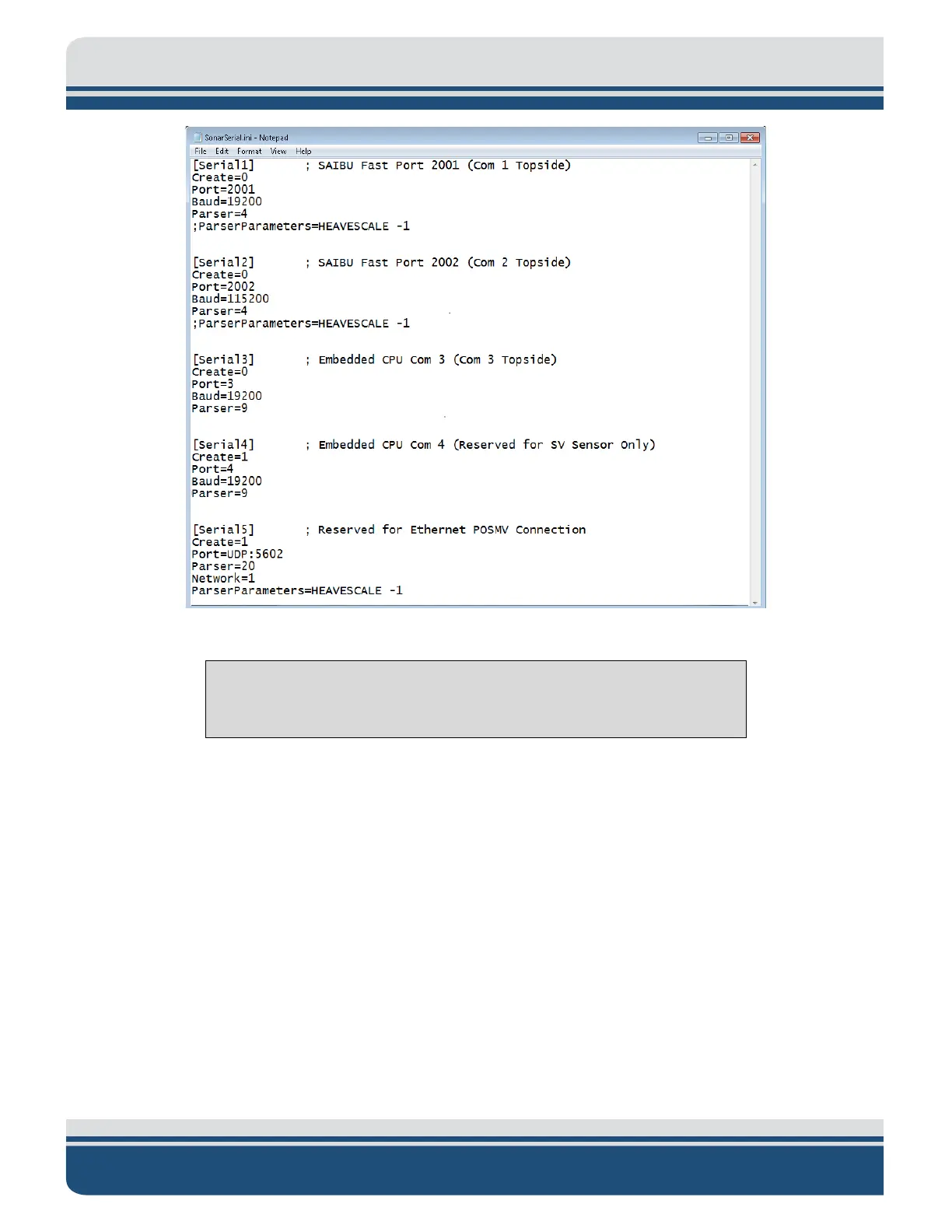
Figure 8-24: POSMV UDP Configuration
CAUTION!
Do not alter the file in any way other than what has been specified.
This will deactivate COM ports 1, 2, and 3 while activating COM 5, that has been pre-configured for POSMV
functionality. Therefore, Discover will not throw up any errors if a sensor is not connected to COM1,
COM2, or COM3.
To configure the time synchronization sources:
1. Locate and open the SonarConfig.ini file. This file is located in the same directory as the
SonarSerial.ini file that was modified above.
2. This file points the software to the correct configuration file based on the hardware's frequency
set in use. Locate the [Main] section and take note of the .ini file being called out. As an example:
the below file specifies the system is a 520kHz / 1600kHz Side Scan with 520kHz Bathymetry and,
as such, utilizes the sonar_520B_1610.ini.



 To Next Page