15
1.4 Turning On or Off the Power
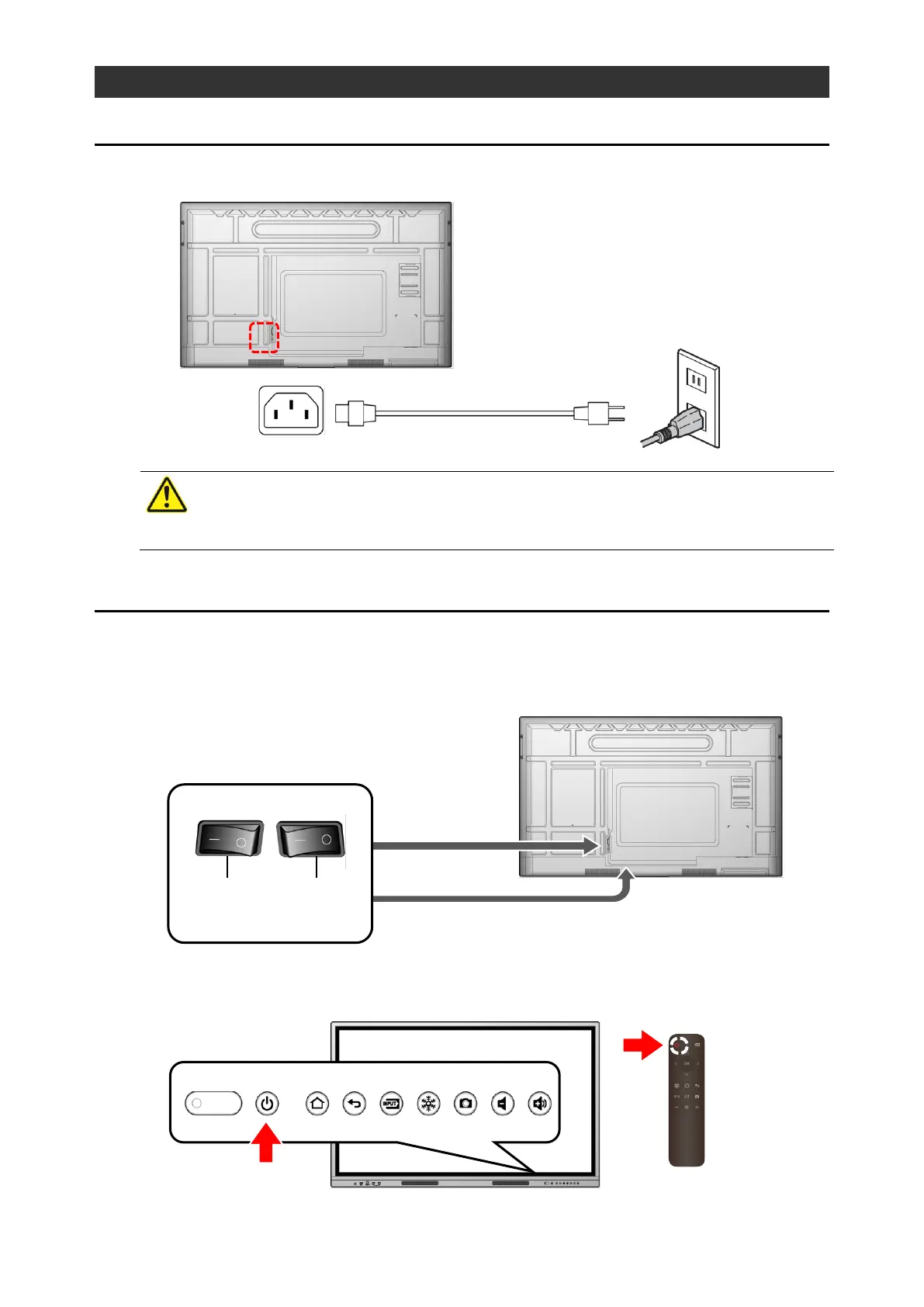
1 Connecting the Power Cord
Connect the supplied power cord to the power supply socket on the side and plug the power
plug into an outlet.
2 Turning On the Power
1 Press “-“ on the Main power switch on the bottom.
Location of the Main power switch:
For EL55R2 and EL65R2: Side
For EL75R2 and EL86R2: Bottom
2 Long-press the Power button on the front.
The power can also be turned on by long-pressing the Power button on the remote
control.



 To Next Page