61
3.11 Using Utilities Function
You can use pre-installed utilities.
◆
Startup
Tap the Utilities icon in the side menu bar.
◆
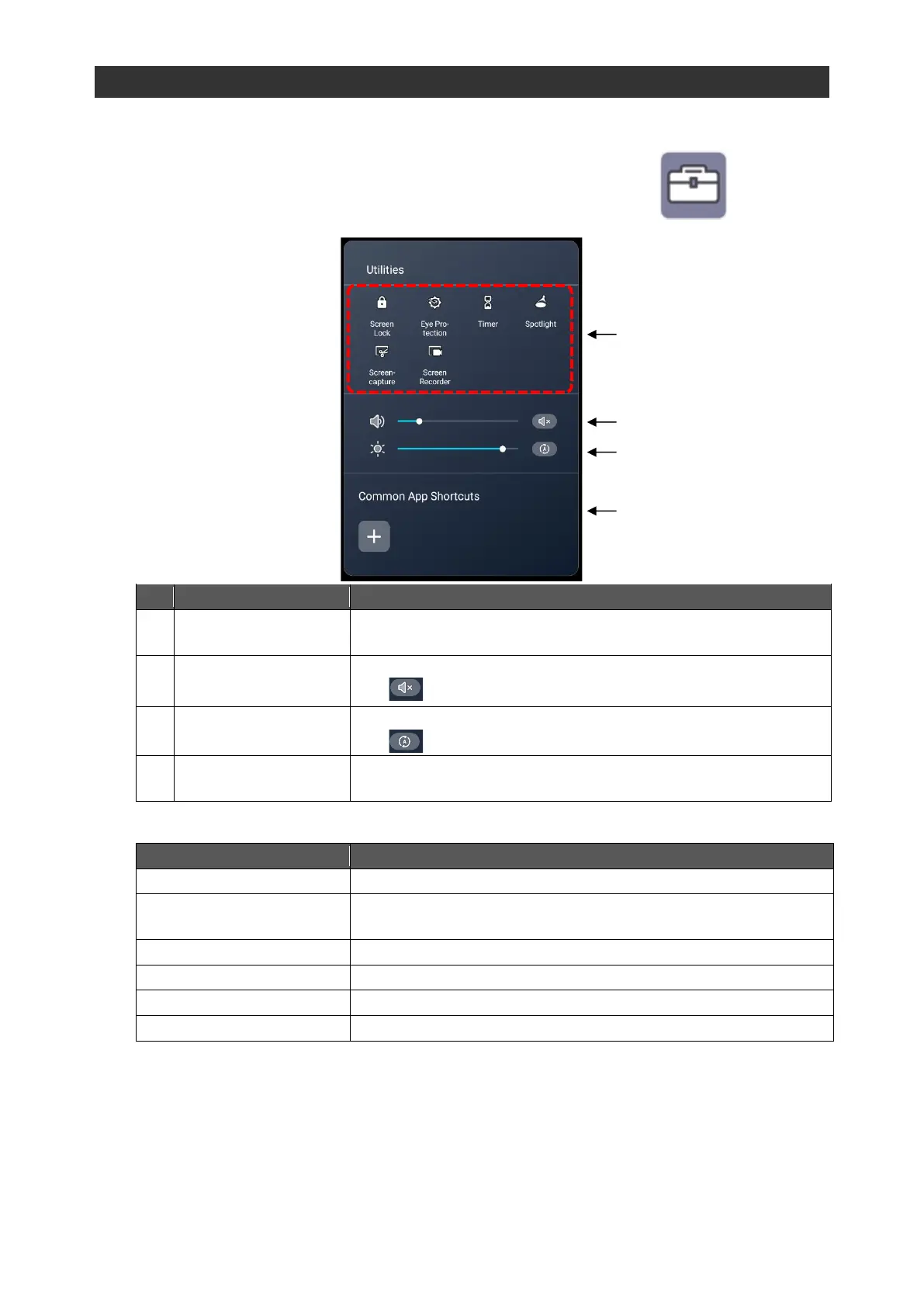
Screen Description
To display a list of utilities.
Tap each icon to start the respective utility.
To adjust the audio volume by moving the slider left or right.
Tap to mute the audio.
To adjust the screen brightness by moving the slider left or right.
Tap to activate the auto brightness adjustment.
To set the screen to the Eye protection mode by adjusting the
screen brightness.
To start the Spotlight app.
To capture a part of the screen.
To record the screen and save it as a video.



 To Next Page