62
4
Using with External Devices
You can display the live image being output from the document camera or computer on the
display monitor, or play the audio of the product through an external speaker.
4.1 Connecting Devices
◆
Displaying the Computer Screen (Video and Audio)
◼
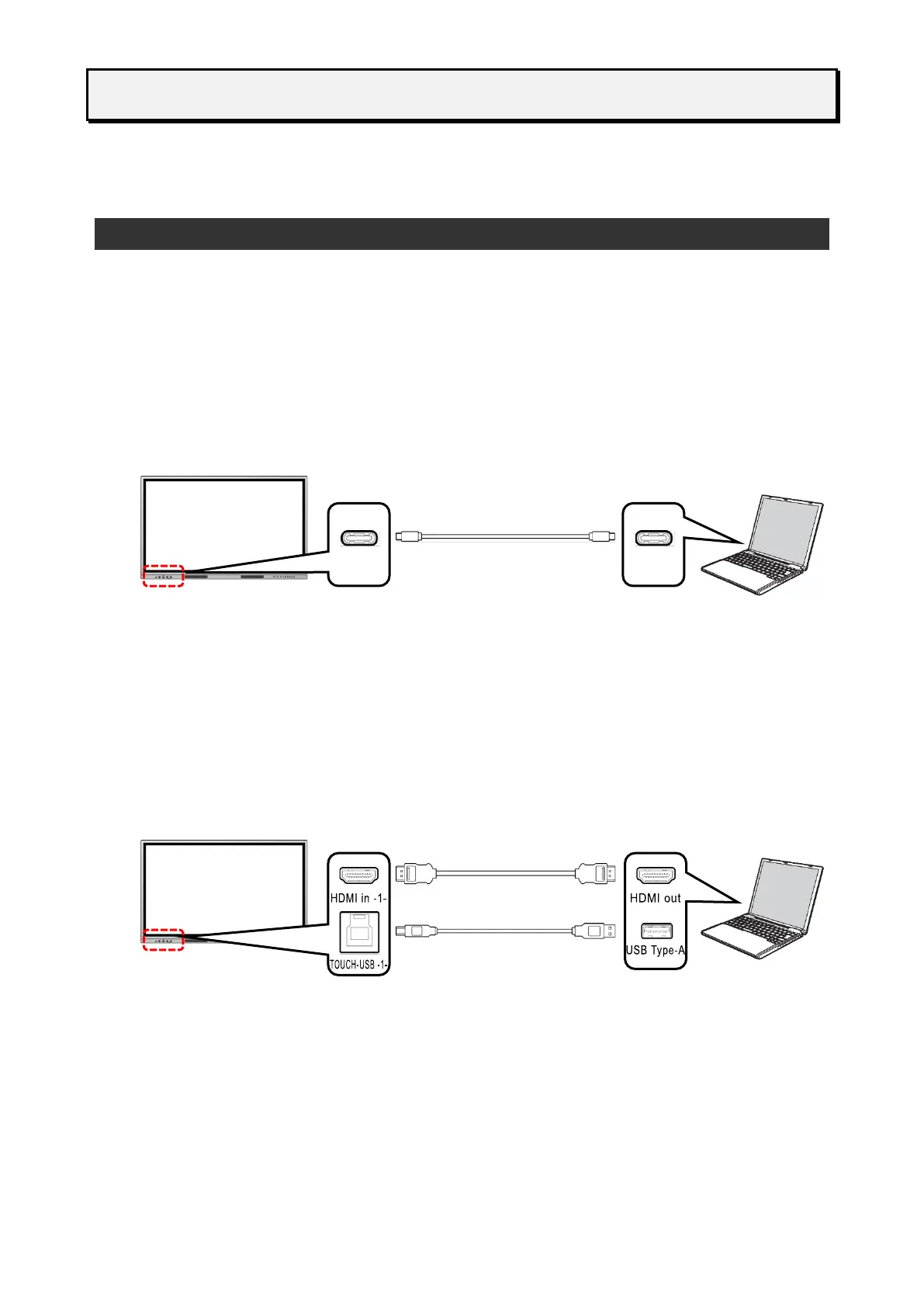
Connecting via USB Type-C
If you connect the USB Type-C port of the display monitor and the USB Type-C port of the
computer with a USB Type-C cable, the computer screen will appear on the display monitor
and the computer audio will be played through the display monitor. Without connecting to the
TOUCH-USB port, you can operate the computer by touching the screen of the display
monitor.
◼
Connecting via HDMIUse the ports on the front
If you connect the HDMI in port on the front of the display monitor and the HDMI out port of
the computer with the supplied HDMI cable, the computer screen will appear on the display
monitor and the computer audio will be played through the display monitor.
If you connect the TOUCH-USB port on the front of the display monitor and the USB Type -A
port of the computer with the supplied USB cable, you can operate the computer by touching
the screen of the display monitor.



 To Next Page