39
◆
Comparing Images and Videos
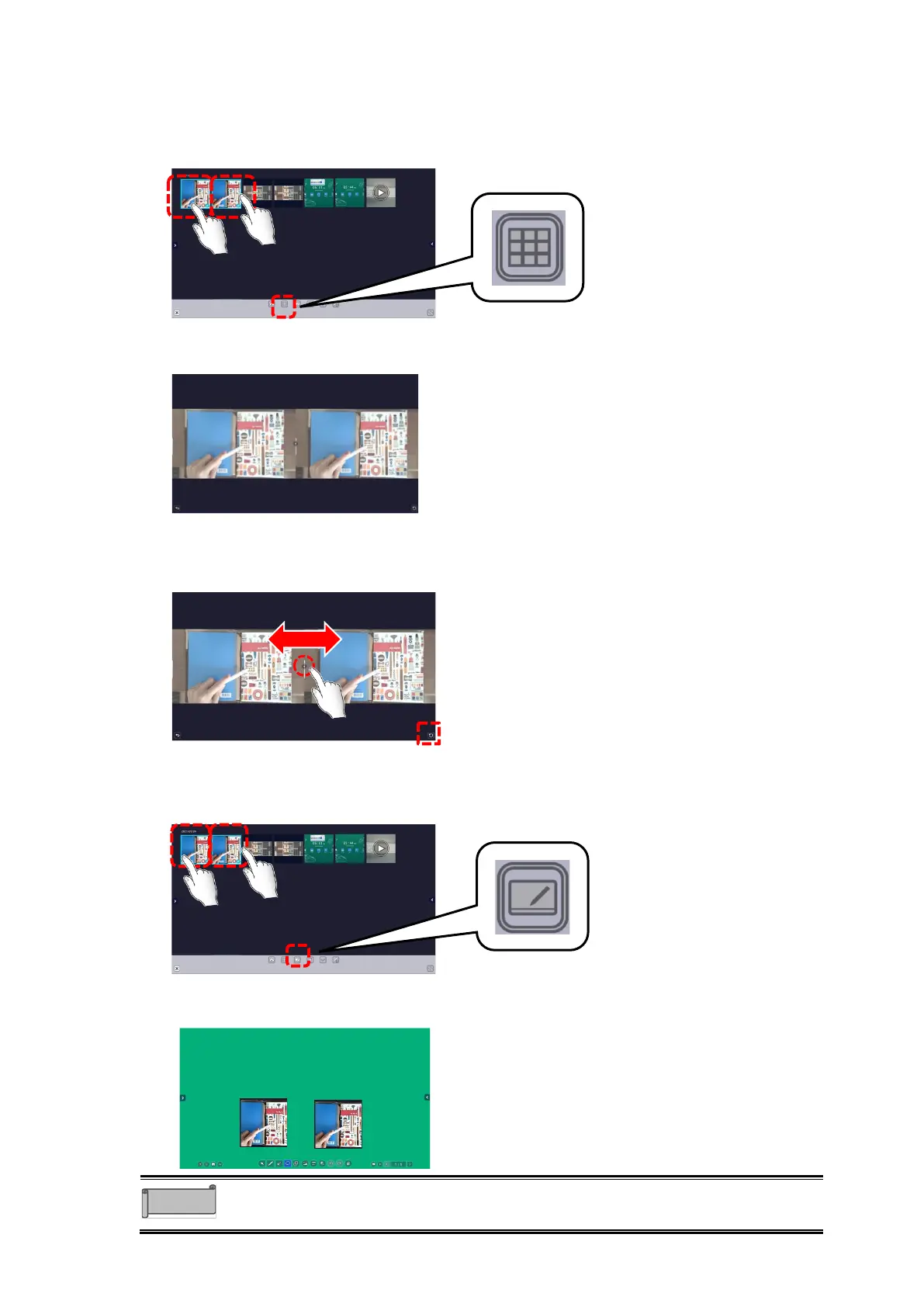
1 Select images and videos to compare and tap the Compare icon.
Select 2 to 9 images and videos in total.
If you want to include videos, select no more than two videos.
2 The selected images and videos will be displayed side by side.
Depending on the number of images and videos selected, the screen will be split in 2, 4, 6, or 9 sections.
3 Drag the handle between the images.
The size of the images will be enlarged or reduced according to the position of the
handle.The size can be initialized with the Return icon at the bottom right of the screen.
◆
Pasting to ELMO Note (whiteboard)
1 Select images and videos and tap the ELMO Note icon.
2 ELMO Note (whiteboard) will start and the selected images and videos will be
pasted.



 To Next Page