24
◆
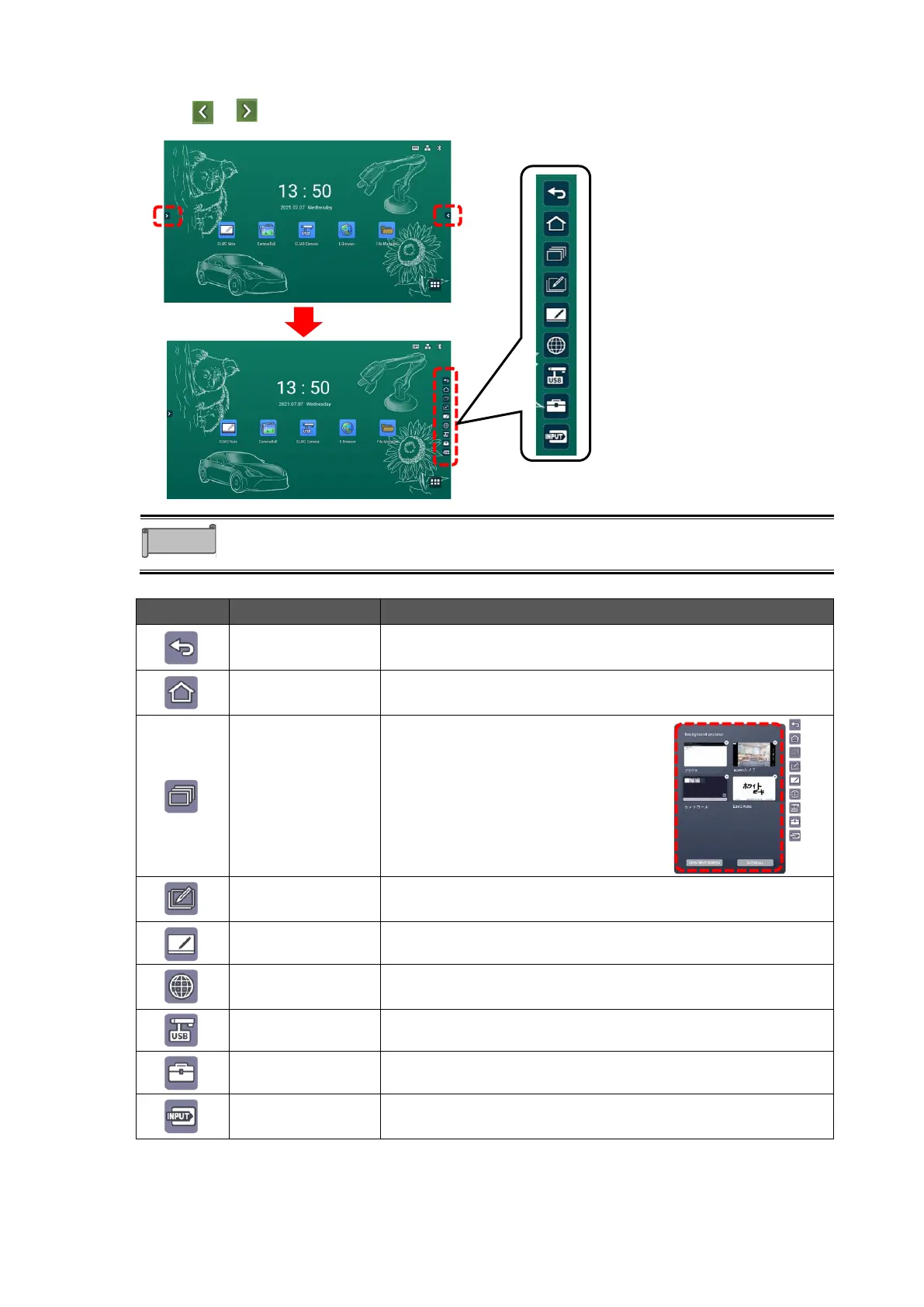
Displaying the Side Menu Bar
Touch or on either edge of the Home screen to display the side menu bar.
The position of icons can be changed by swiping them up and down.
To go back to the previous screen.
To display the Home screen.P. 20
To display a thumbnail list of the
running apps.
⚫ Press “X” at the top right corner
of the task to close the task.
⚫ Press “CLEAR ALL” to close all
the tasks.
To start the Overlay app.P.37
To start ELMO Note (whiteboard).P25
To start E Browser.P. 42
To start a USB camera.P.40
To start pre-installed utilities. P.61
To display the Source Settings screen.P67



 To Next Page