28
◆
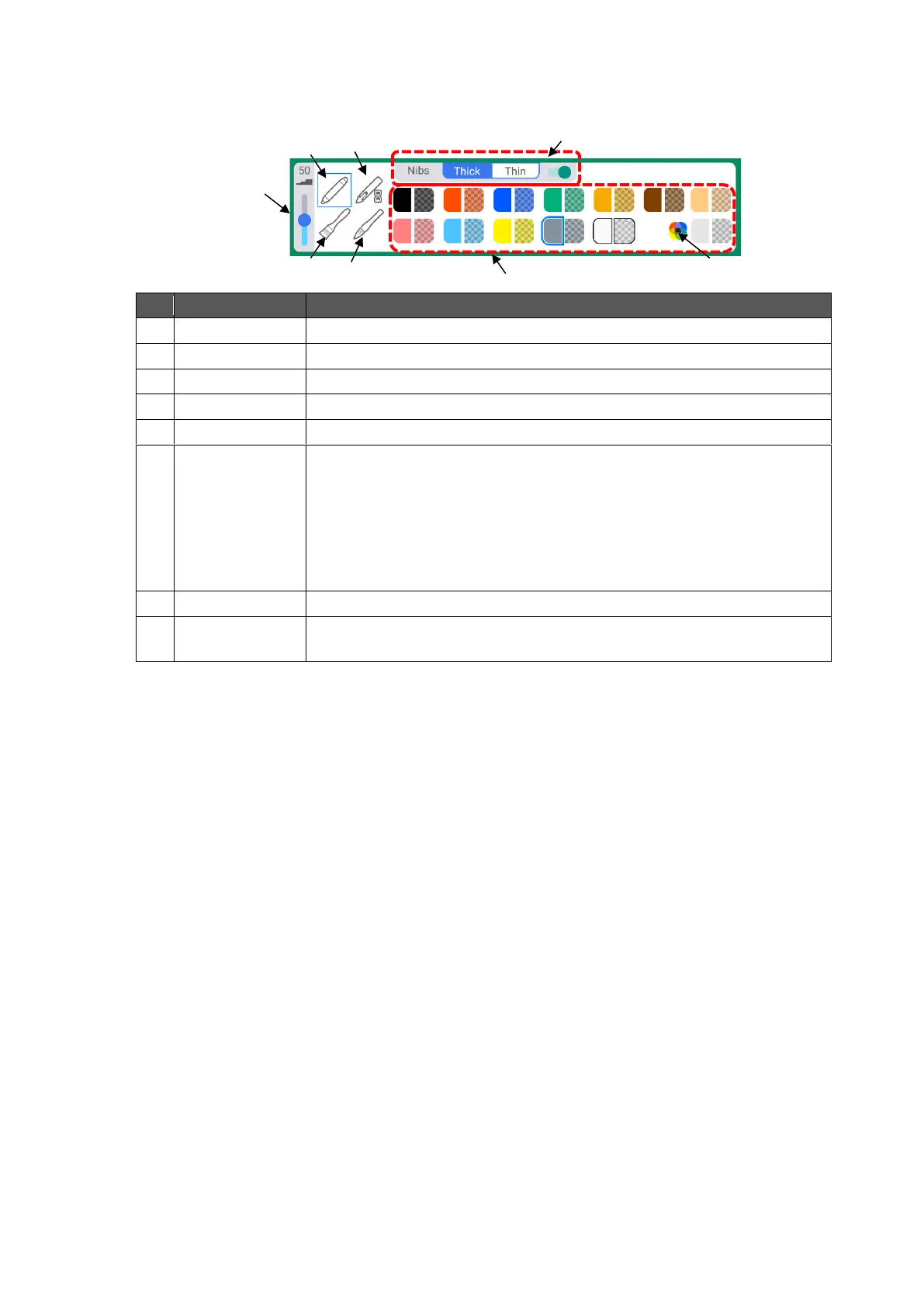
Pen Menu
The Pen menu will appear when the Pen icon in the toolbar is tapped again in the Pen mode.
To draw with a normal pen.
To draw lines that will disappear in 3 seconds.
To draw with a pen with a vertical rectangular nib.
To draw with a pen whose thickness changes with speed.
To set the line thickness of the pen.
To configure the settings of the supplied Touch pen when the Normal
pen is selected.
⚫ Thick: to configure the settings of the thick nib.
⚫ Thin: to configure the settings of the thin nib.
⚫ You can enable or disable the thin nib with the switch on the right.
(When the Thin nib setting is disabled, the Thick nib setting will be
applied to both thin nib and thick nib of the Touch pen.)
To select the color of the pen.
To display the color palette.
You can select any color in the color palette.



 To Next Page