19
2
Basic Operations
2.1 Touch Operations
You can perform touch operations with your finger or the supplied Touch pen.
For details on Windows touch operations, refer to Windows Help.
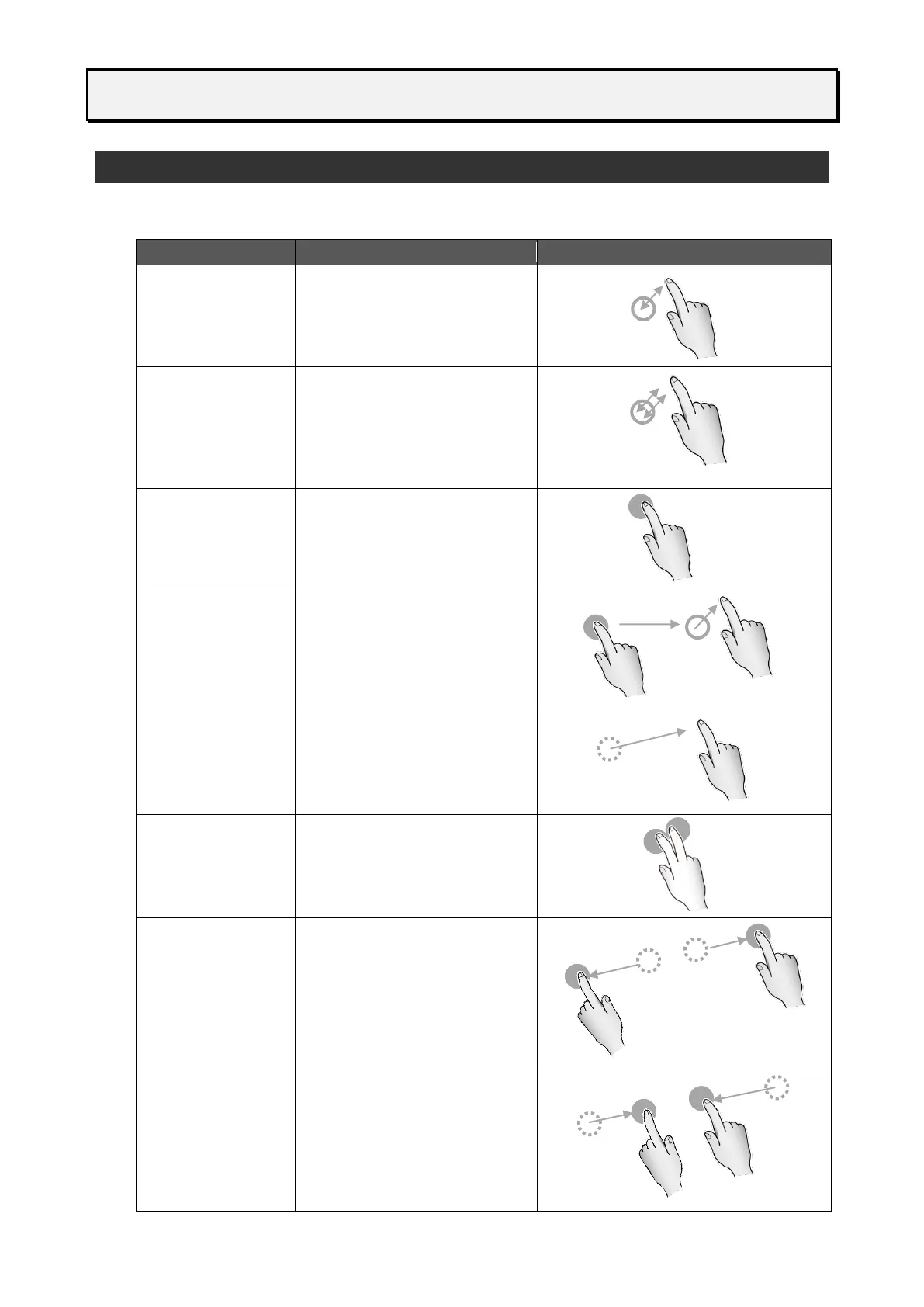
Touch once briefly.
⚫ Works as the left click of a
mouse.
Touch same place twice
quickly.
⚫ Works as the double click
of a mouse.
Touch and hold.
⚫ Works as the right click of
a mouse.
Touch and hold the icon or slide
and move it. Then release the
finger at the specified position.
⚫ Works as the drag and
drop of a mouse.
Swipe: Move the finger while
touching the screen.
Flick: Touch the screen and
brush the finger quickly across
the screen.
Touch and hold with two
fingers.
The distance between two
points should be 2-5 cm.
Touch two points at the same
time and move fingers away
from each other.
⚫ To be used in the screen
where zooming operation
is possible.
Touch two points at the same
time and move fingers closer to
each other.
⚫ To be used in the screen
where zooming operation
is possible.



 To Next Page