58
◆
Cloud Account Settings
If you are using Cloud for the first time or if you want to add a Clo ud account to the product,
use "Browser" to set the authentication.
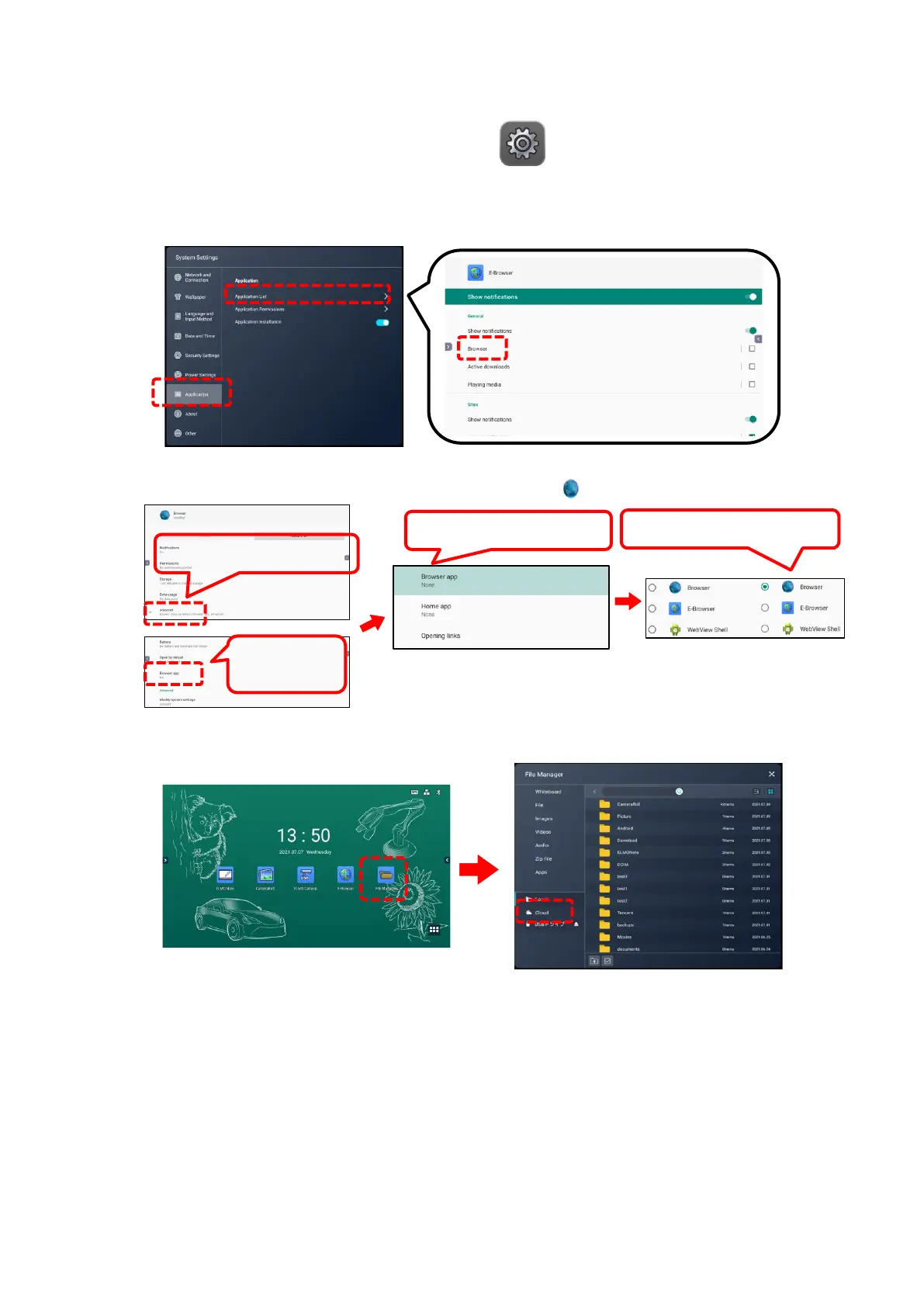
1 Tap the Settings icon in the list of apps.
2 Tap “Application”, and then tap “Application List”.
You need to enter the administrator password to display the apps. (P. 70)
3 Tap “Browser” in the list.
4 Tap “Advanced”, then tap “Browser app”.
Tap “Browser app” again, then check the option“ Browser”.
5 Go back to the Home screen and start the File Manager app.
Select “Cloud”.



 To Next Page