59
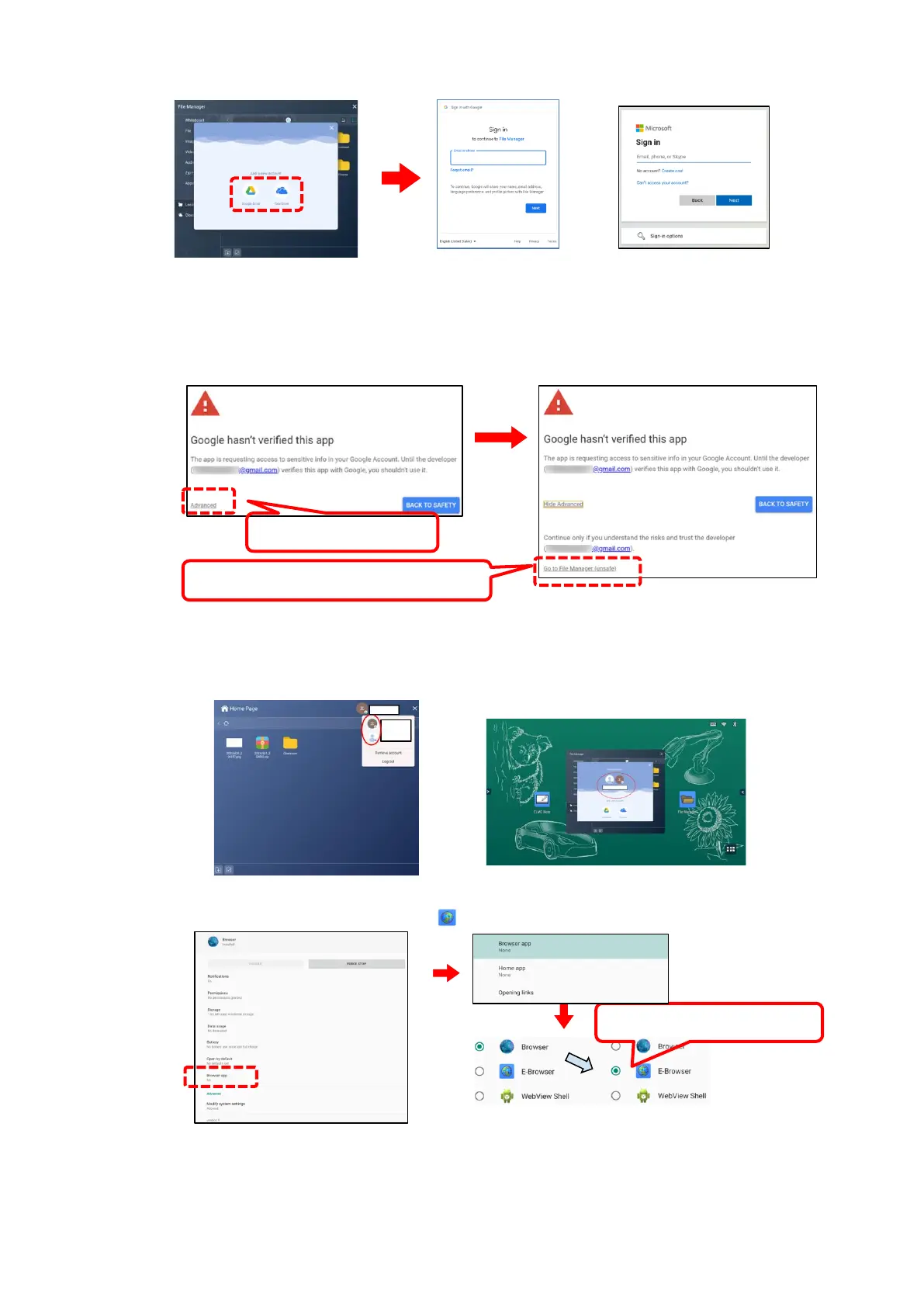
6 Select “Google Drive” or “One Drive”, then login (authentication process) to it.
If the following dialog box appears when you login to your account, tap “Advanced” and then
tap “Go to File Manager (unsafe)”.
7 Once you successfully login to your account, your account informati on will appear
in the upper right corner.
You can also check it from the Cloud screen after starting it from the File Manager.
8 After logging in to your account, follow the steps 1 to 3 to display the Browser app
settings. Then check the option “ E-Browser”.



 To Next Page