31
◆
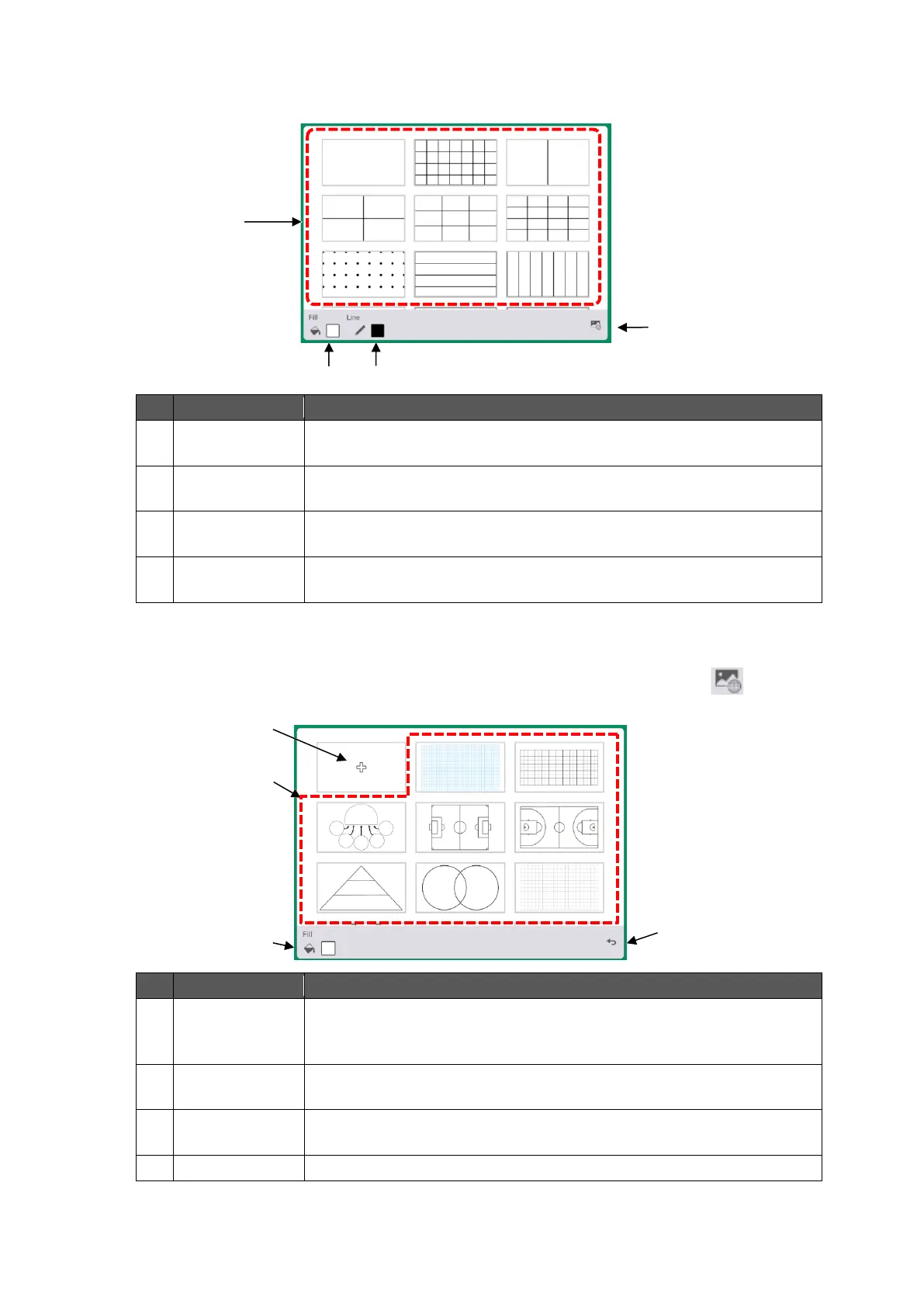
Background Menu
The Background menu will appear when the Background icon in the toolbar is tapped.
To select the background.
Tap any background design to change the background.
To select the color of the background.
You can also select the color from the color palette.
To select the color of the line.
You can also select the color from the color palette.
To display the Background image menu.
◆
Background Image Menu
The Background image menu will appear when the Background image icon [ ] at the
bottom right of the screen in the Background menu is tapped.
To add an image file to be displayed as the background from the File
Manager.
To select a pre-installed background image as the background.
To select the color of the background.
You can also select the color from the color palette.
To go back to the Background menu.



 To Next Page