68
◆
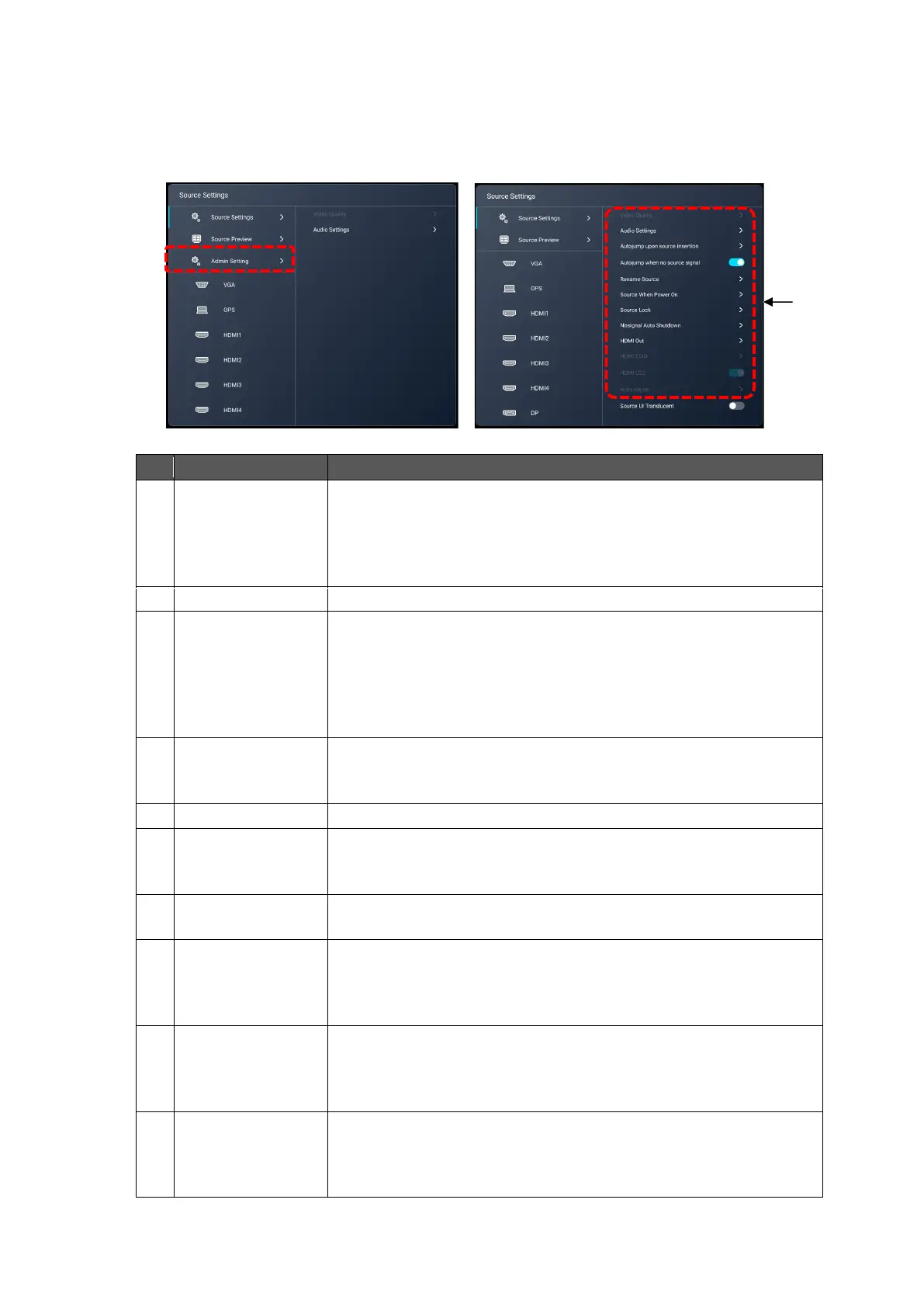
Configuring the Source Settings
1 Tap “Admin Setting” and enter the administrator password.
The default password is 0000000 (7 digits).
2 The Source Settings menu will appear.
To set the brightness, contrast, and color tone of the input video.
(*You cannot configure the screen settings of an Android device
with this menu item.)
You can select this menu item from "Menu" in the side menu bar
while the image is displayed on the display monitor.
To configure the settings of the speaker of the product.
Autojump upon
source insertion
To switch to the newly added input source automatically.
[Auto Jump]: The screen will switch automatically when a new
input source is added.
[Popup Prompt]: A popup will appear when a new input source is
added. The screen will not switch automatically.
Default settingAuto Jump
Autojump when no
source signal
To switch to other input source automatically when the input
source being used is disconnected.
Default setting: ON
To change the name of the input source.
To select the default input source which appears on the screen
after power on.
Default settingAndroid (Home screen)
To set whether or not to lock each input source.
Default setting OFF(not locked)
To set the time before the product shuts down automatically when
there is no input signal.
Close / 5 min. / 10 min. / 15 min.
Default settingClose (The product does not shut down.)
To select the resolution for HDMI output.
Auto / 1920×1080 / 3840×2160
Default setting: Auto
(This function is available only for models with an HDMI Out port.)
To switch between HDMI 1.4 and 2.0.
Default setting2.0
(This setting item is available only when the HDMI image is
displayed on the display monitor.)



 To Next Page