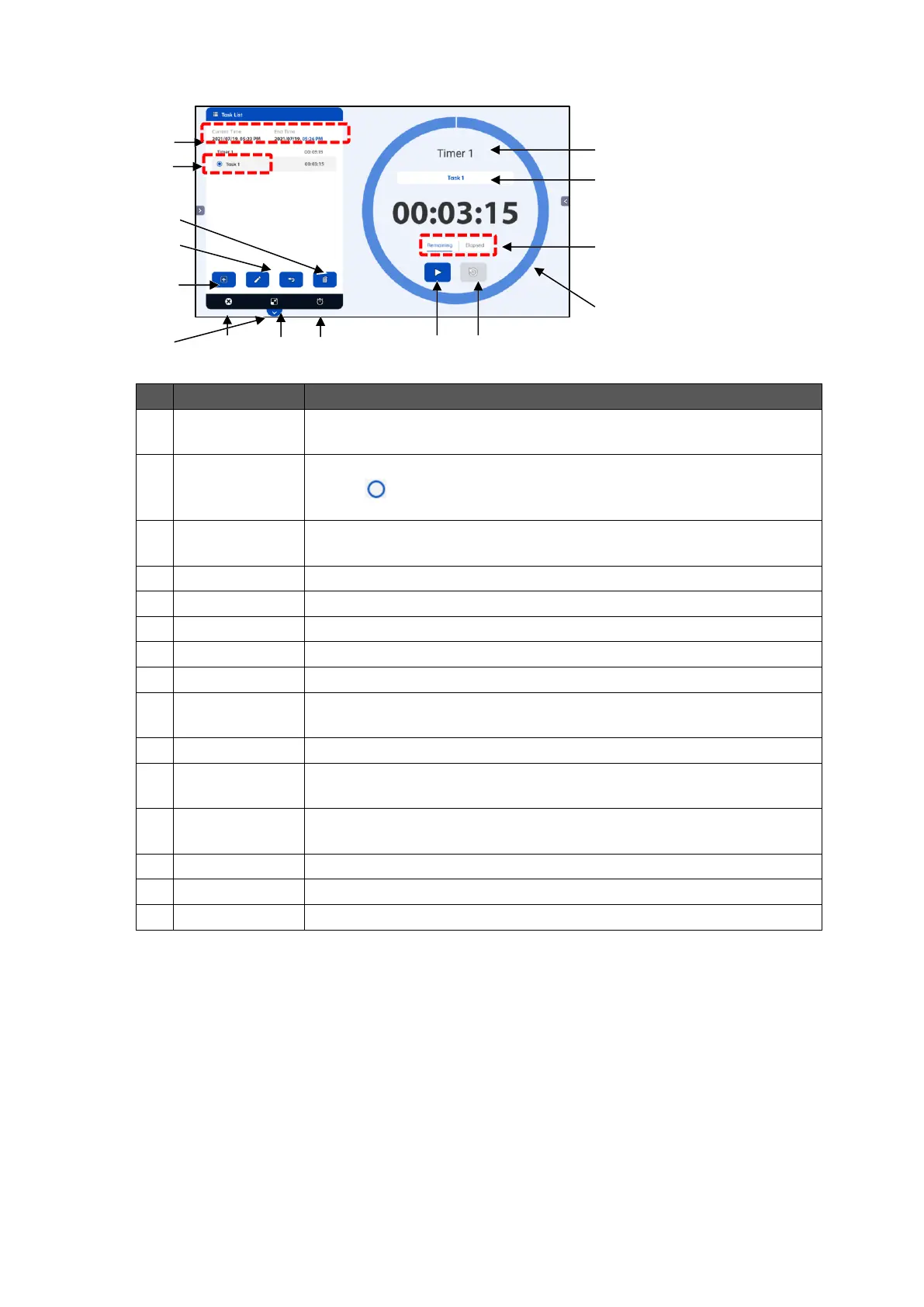
To display the start time (current time) and the end time for the timer.
To display a list of created timers.
Tap the mark at the left of the title to select.
The Task List screen will appear when the title is tapped.P. 46
To create a new timer.
The Timer settings screen will appear.P. 49
To change the title of the selected timer.
To delete the selected timer.
To end the ELMO timer app.
To minimize the timer screen.P. 50
To display the Stopwatch screen.P. 50
To maximize the timer screen.
To display the title of the selected timer.
To switch between Total time display and Task time display.
Remaining time
/ Elapsed time
To switch between Remaining time display and Elapsed time display.
To display the elapsed time as a pie chart.
To start the timer. Tap this button again to stop the timer.
To reset the timer to the start time.



 To Next Page