38
3.3 Using Camera Roll Function
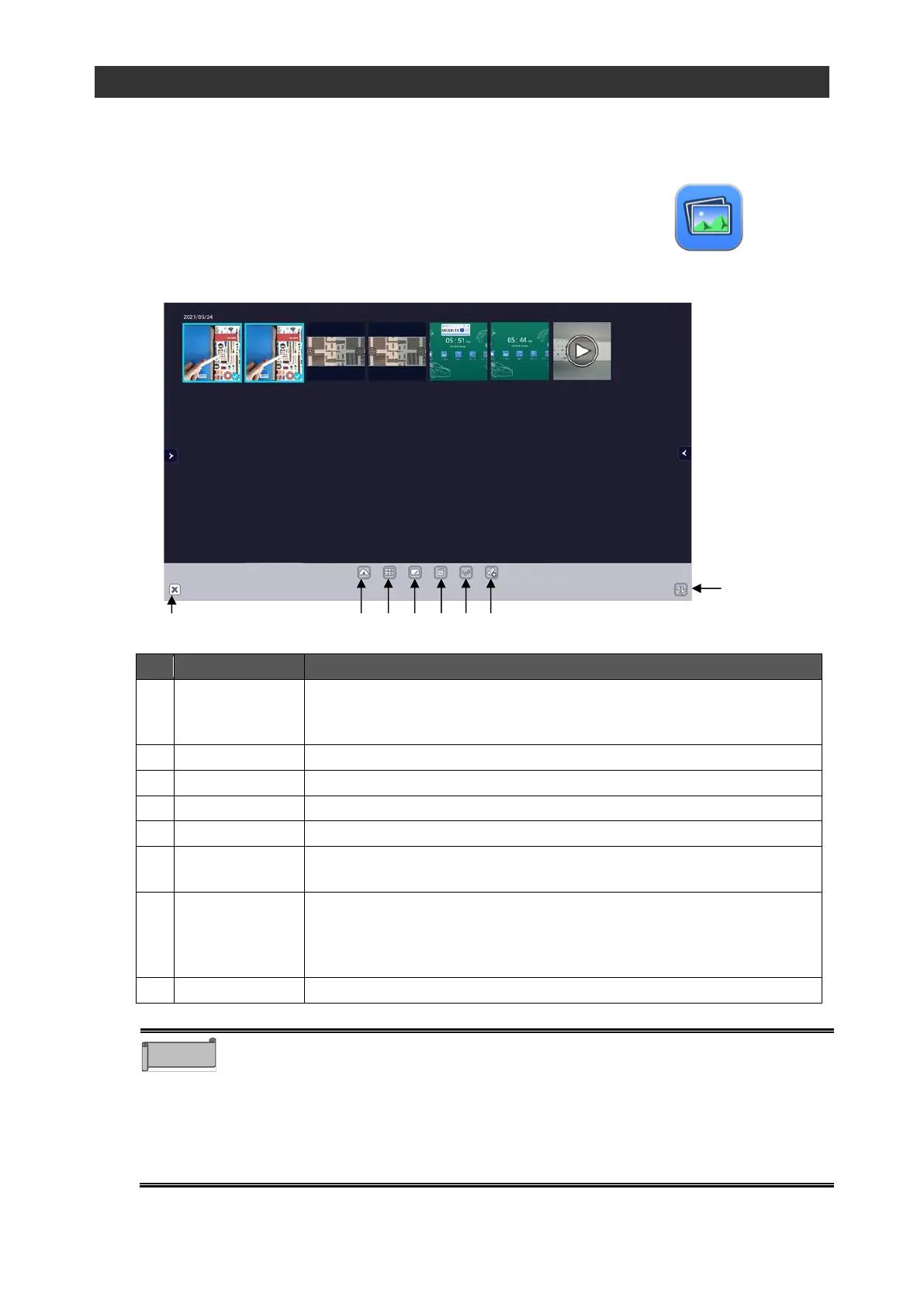
You can display saved images and videos in a list to compare them or paste to ELMO Note.
◆
Startup
Tap the Camera Roll icon in the list of apps.
◆
Screen Description
To upload images and videos to Cloud.
This function is not available in the initial version. It will be supported in future version
upgrades.
To compare the selected images and videos.P.39
To paste the selected images and videos to ELMO Note (whiteboard)
To delete the selected images and videos.
To deselect all the selected items.
To load images and videos from a USB flash drive to display in the
Camera Roll.
Sort in
ascending /
descending
order
To sort files in ascending / descending order of date and time.
To end the Camera Roll app.
⚫ The following images and videos can be loaded from a USB flash drive:
Image: jpeg / jpg / gif / bmp, Video: mp4 / mov
Some files may not be viewed or played.
⚫ For Cloud, you can select "Google Drive" or "One Drive". You need to have
your account to use them.P. 58
⚫ You can also upload the file to Cloud from the File Manager. Start the File
Manager from the list of apps to upload to Cloud.P. 60



 To Next Page