75
◆
System Settings
◼
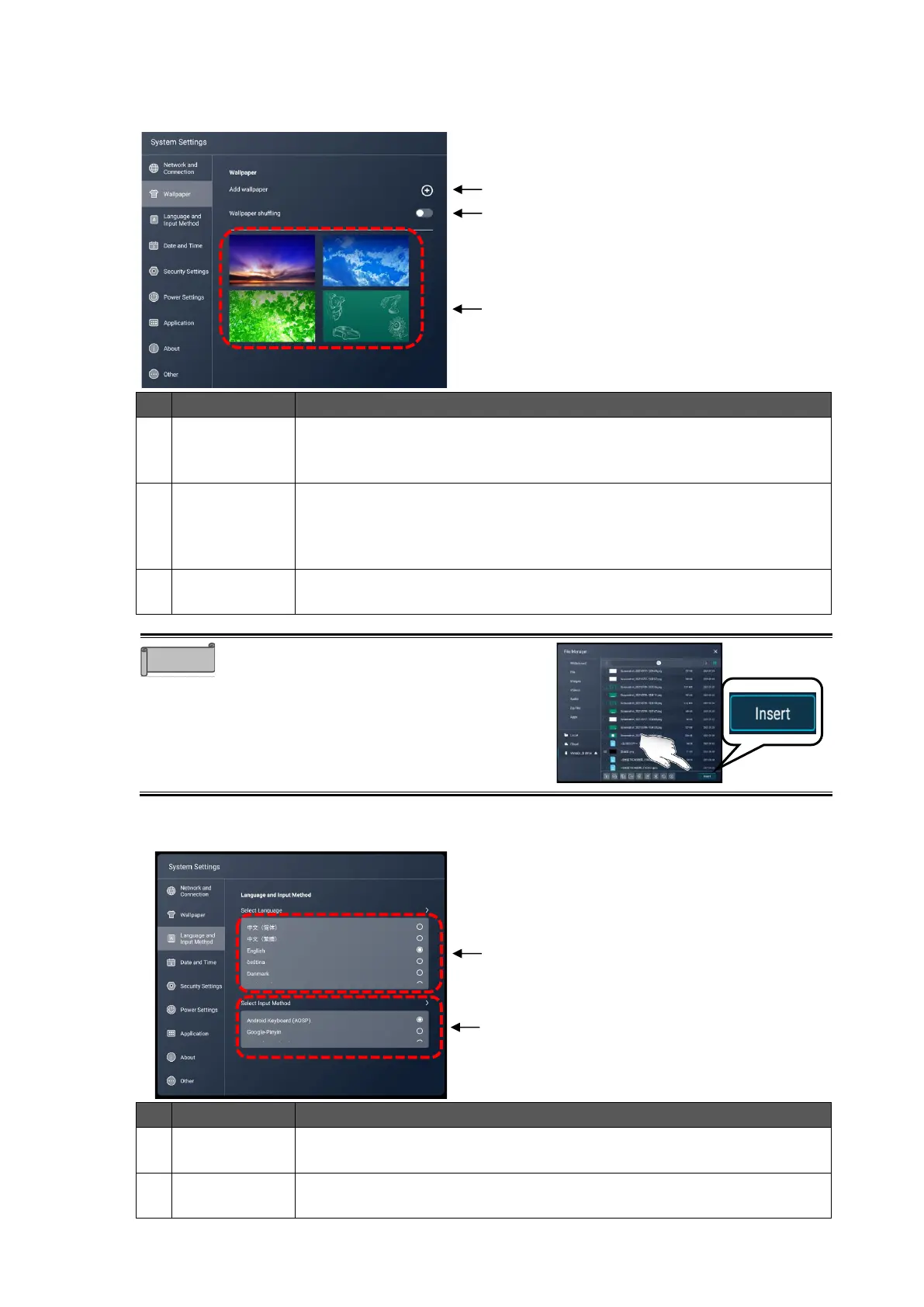
Wallpaper
To start the File Manager app.
You can add a wallpaper by selecting a file.
You can select files with the extension jpg and png.
To change the wallpaper at set intervals.
The interval can be set at 1 minute, 10 minutes, 30 minutes, 1 hour, or 6
hours.
Default setting: OFF
To select the wallpaper. Tap the wallpaper you want to set to change the
wallpaper.
Adding a wallpaper: File Manager
Tap “Insert” after selecting the file to set as
wallpaper.
◼
Language and Input Method
To set the language for the system.



 To Next Page