53
◆
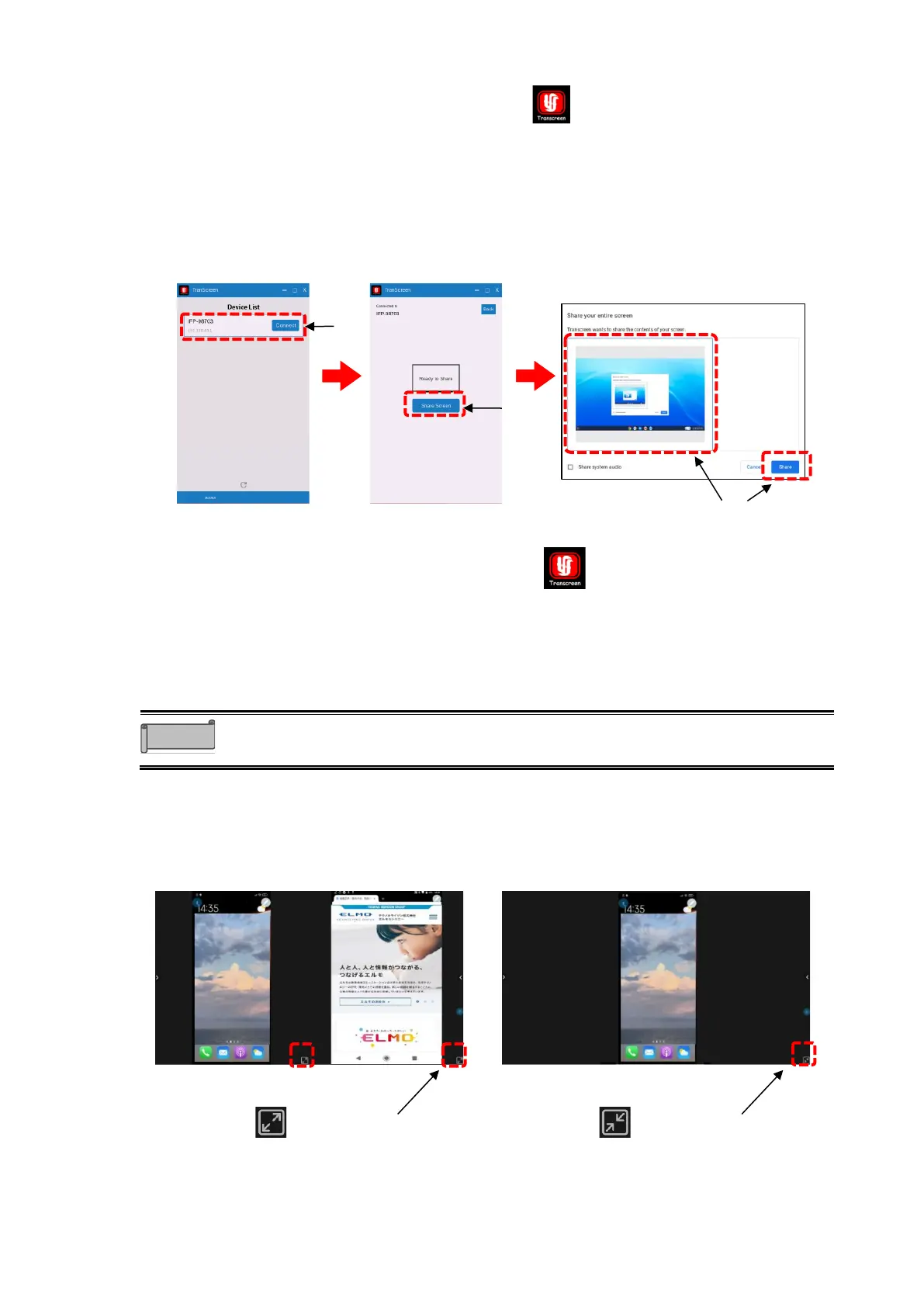
Using on Chrome OS
1 Tap the Screen Mirror icon in the list of apps.
2 Start the Transcreen app installed on the Chrome device.
3 Select the device name of the product and tap “Connect”.
4 Tap “Share Screen”.
5 Select the screen you want to display and tap “Share”.
6 The screen of the connected device will be displayed on the display monitor of the
product.
◆
Using on Android OS
1 Tap the Screen Mirror icon in the list of apps.
2 Start the Transcreen app installed on the Android device.
3 Tap “Airplay” or “Mirror” on the app screen of the Android device.
4 The screen of the connected device will be displayed on the display monitor of the
product.



 To Next Page