To select a file when is displayed.
The File Manager app will enter the File edit mode when this icon is
tapped. (P.57)
To remove the USB flash drive safely by tapping .
To end the File Manager app
◼
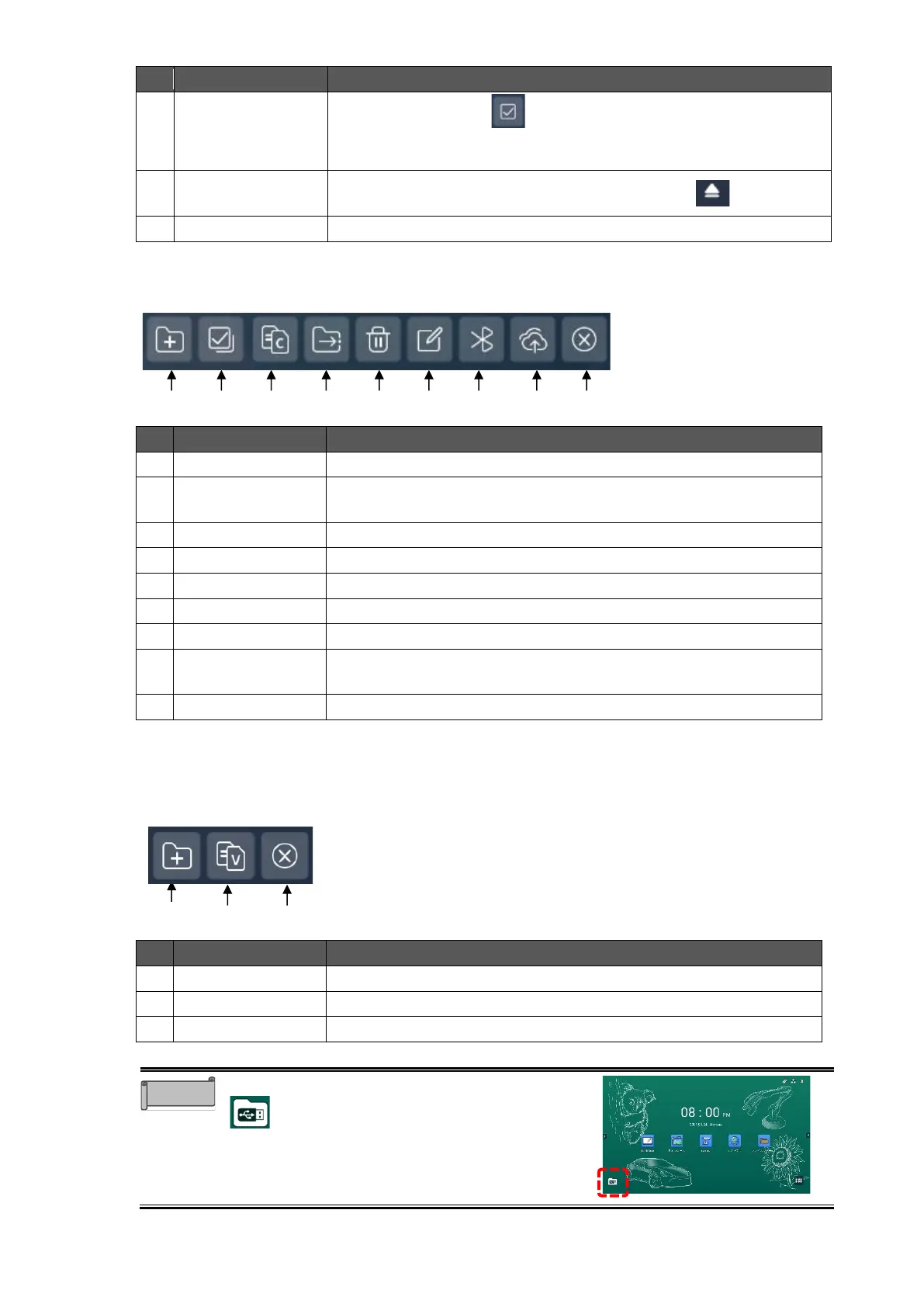
File Edit Mode
The File Manager app will enter the File edit mode when the File icon is pressed long.
To select or deselect all files.
To copy the selected file.
To cut the selected file.
To delete the selected file.
To change the name of the selected file.
To send the selected file via Bluetooth.
To upload the selected file to Cloud.
Cloud account settings (P.58)
To go back to the File select mode.
◼
File Paste Mode
The File Manager app will enter the File paste mode when the Copy icon or Cut icon is
tapped.
To paste the copied or cut file.
To go back to the File edit mode
You can start the File Manager app by tapping
that appears immediately after inserting a
USB flash drive.



 To Next Page