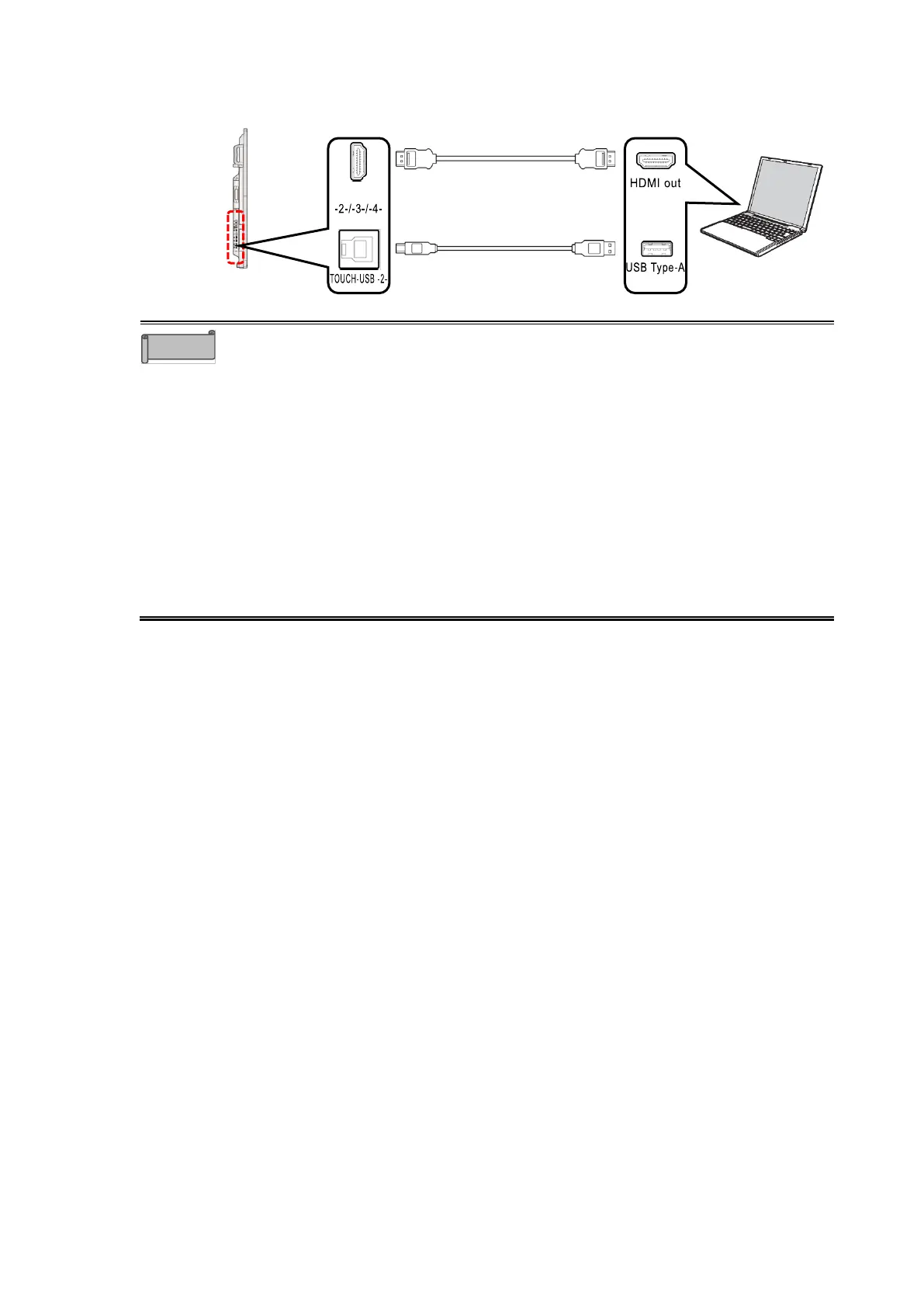
⚫ Depending on the OS of the computer, you may not be able to operate the
computer even if you touch the display monitor connected to the computer
via USB Type-C. In that case, connect the computer and the display monitor
via HDMI and TOUCH-USB.
⚫ The USB Type-C cable and HDMI cable can send both video data and audio
data. There is no need to connect a separate audio cable.
⚫ When using the TOUCH-USB port on the front of the display monitor, use the
HDMI in port on the front. When using the TOUCH-USB port on the side, use
the HDMI in port on the side. If you confuse the front and side ports, y ou will
not be able to operate the computer with touch operation.
⚫ When using the Display Port in port on the side, use the TOUCH-USB port
on the side.
⚫ When using an HDMI cable other than the one supplied, use an HDMI cable
that supports HDMI 2.0.



 To Next Page