14
BASIC
OPERATIONS
2-3 Shooting images
$&DGDSWHU
WKH/('OLJKWLQJ
6ZLWFK
&DPHUD
&RQQHFWDFDEOH
P.21
Setting up the product
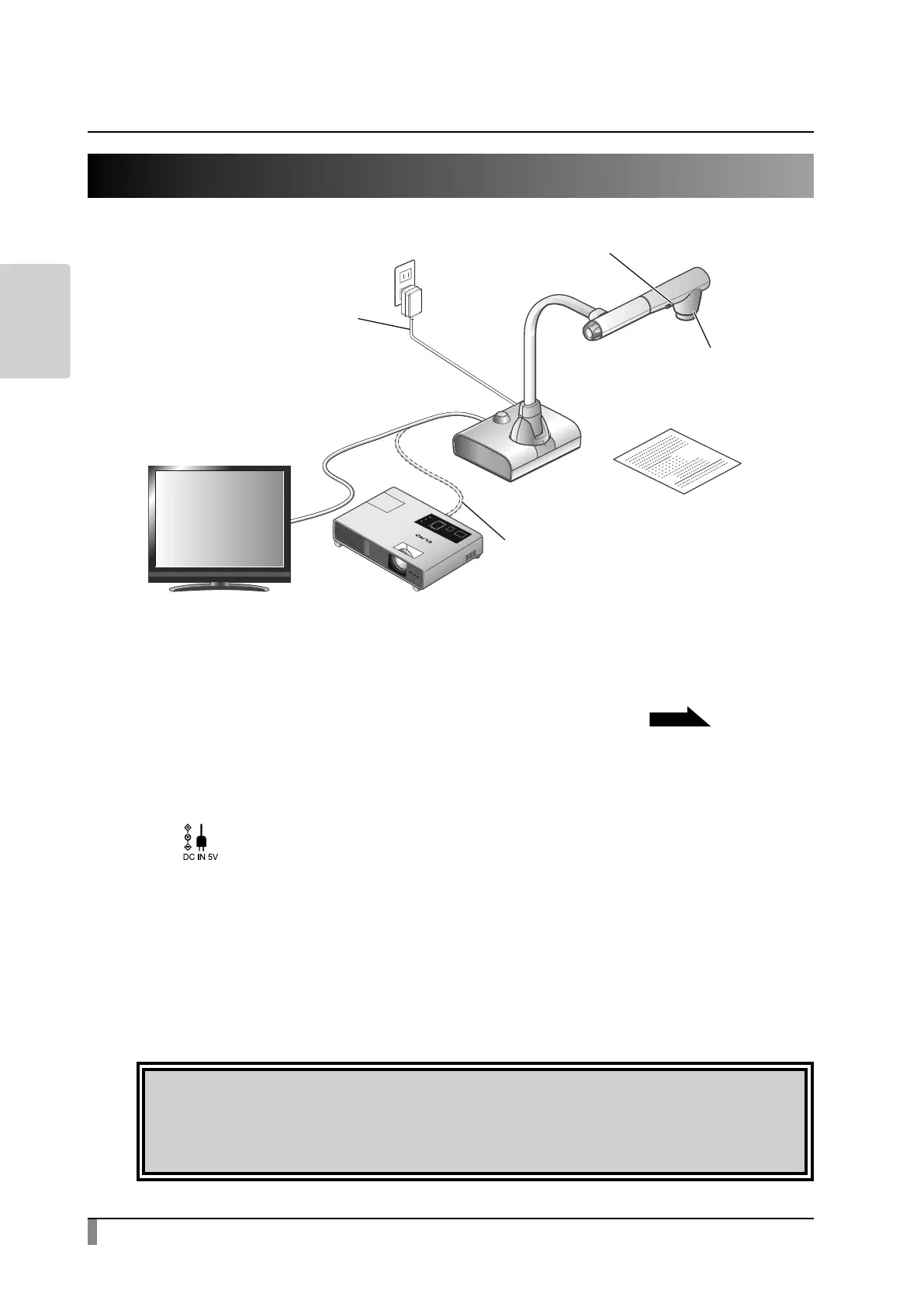
Set up the product as shown in the gure above. Then connect the product to a
projector or a monitor, and turn on the power of the product.
P.15
Connecting the power cable
Connect the power cable and the AC adapter. Then connect the AC adapter to
the [ ] port on the rear panel of the product, and insert the power cable into
an outlet.
Connecting a video cable
Connect the product to a display device using a video cable corresponding to the
specication of the display device.
Caution
Before connecting the product to other devices, be sure to turn o the power
for all of the devices.



 To Next Page