25
BASIC
OPERATIONS
2-4 Conguring the settings
Each setting of the product can be configured from the menu (texts or icons)
displayed on the screen.
How to congure the settings
①
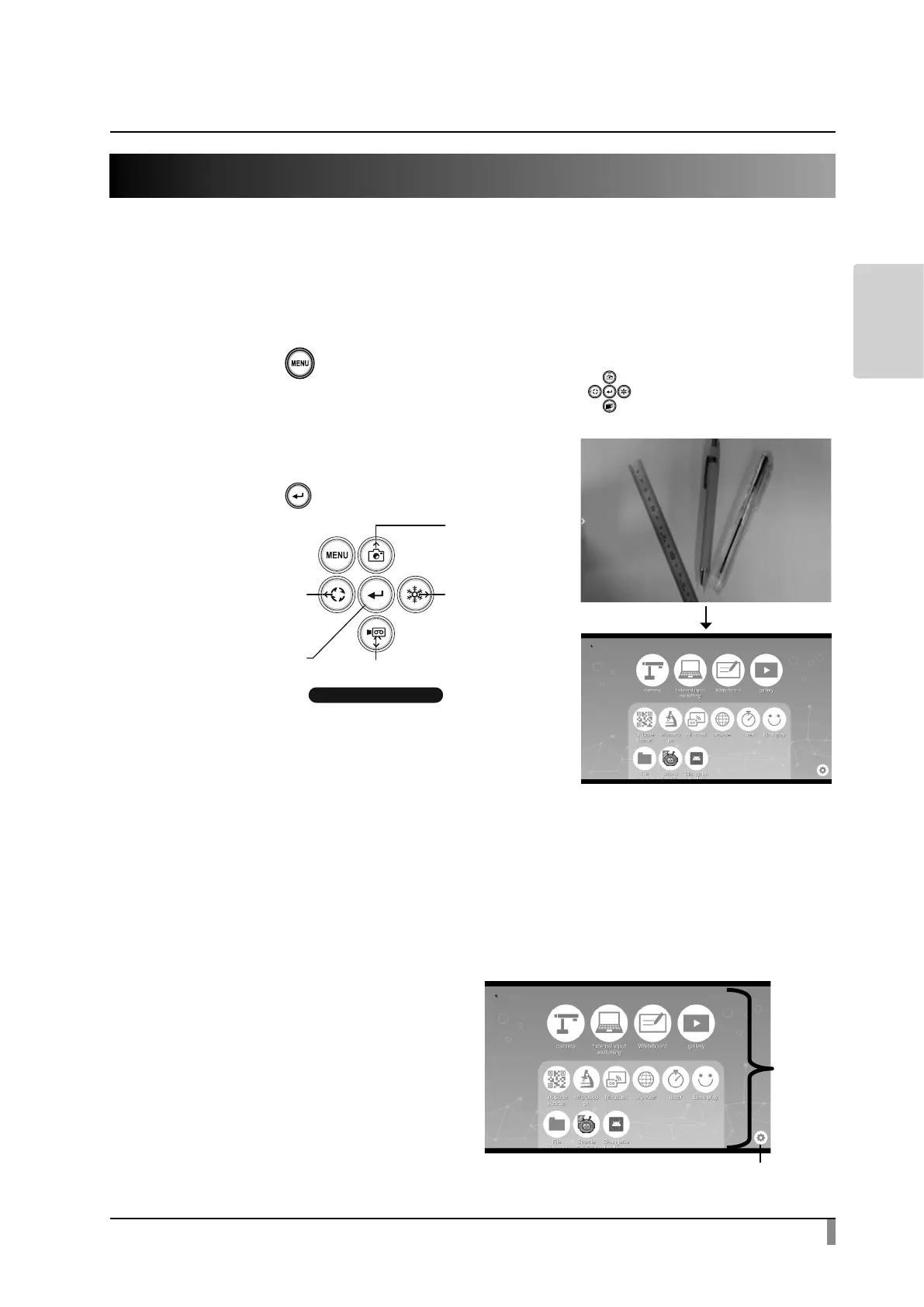
Press the [ ] button on the operating panel or the remote control to
display the menu on the screen. Then use the [ ] buttons to move the
cursor to the icon you want to operate or set.
②
Press the [ ] button to conrm the setting
value.
Operating the Home screen
The Settings icon to congure the system settings and camera settings and icons
installed apps will be displayed in the Home screen. You can select a desired app
to launch.
You can hide or display icons of apps in the Home screen.
・Home screen
The icon of the installed app will be
added to the list of installed apps.
(Icons will be displayed in the order
in which they are added.)
※ If the number of apps become
s large, the icons will be added
to the bottom and cannot be
displayed in one screen. To view
0RYHWKH
FXUVRUXS
0RYHWKHFXUVRUOHIW
0RYHWKH
FXUVRUULJKW
&RQILUP
0RYHWKHFXUVRUGRZQ
2SHUDWLQJSDQHO
MENU button
Installed
application
software
Settings icon



 To Next Page