15
BASIC
OPERATIONS
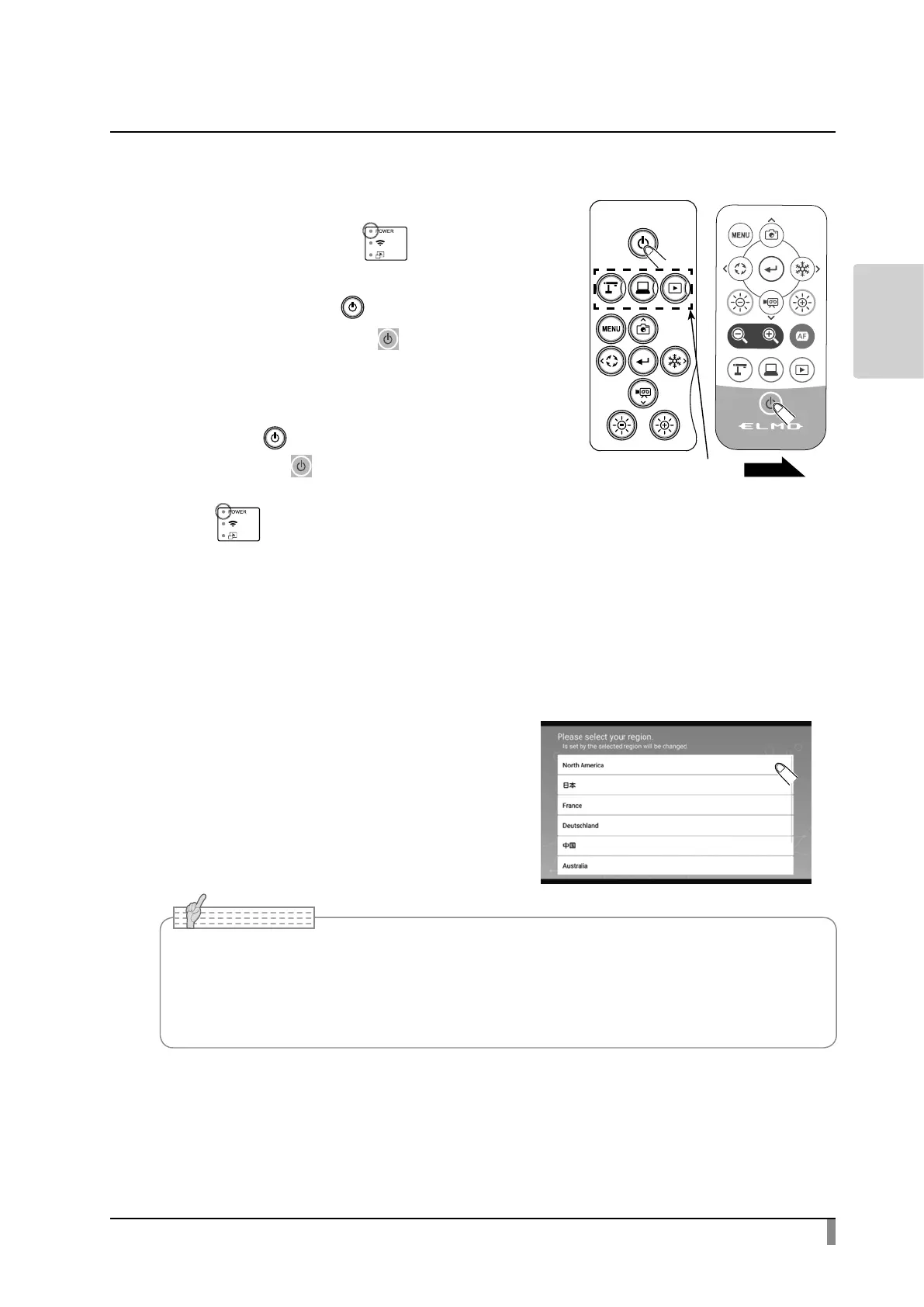
Turn on / o the power
・ When the AC adapter is connected to an
outlet, the Power LED[ ] will ash red
rst, and then will turn red after several
seconds. Press the [ ] button on the
operating panel or the [ ] button on the
remote control to turn on the power. The
Power LED will turn blue.
・ Press the [ ] button on the operating
panel or the [ ] button on the remote
control to turn o the power. (The Power
LED[ ] will turn red.)
Setting the destination
The Destination select screen will be
displayed over the camera image when the
power is turned on for the rst time or when
the data initialization is performed.
Select the country where the product is
being used.
• When the product is turned on for the rst time, the Destination select screen will be
displayed.
Select the country where the product is being used and press "OK". Then the image will be
displayed.
Note
Mode buttons
P.24



 To Next Page