67
ADVANCED
OPERATIONS
④
Adjust the angle of the microscope and the product to t each other.
⑤
Adjust the brightness.
Adjust the brightness with the mirror or the light on the microscope.
⑥
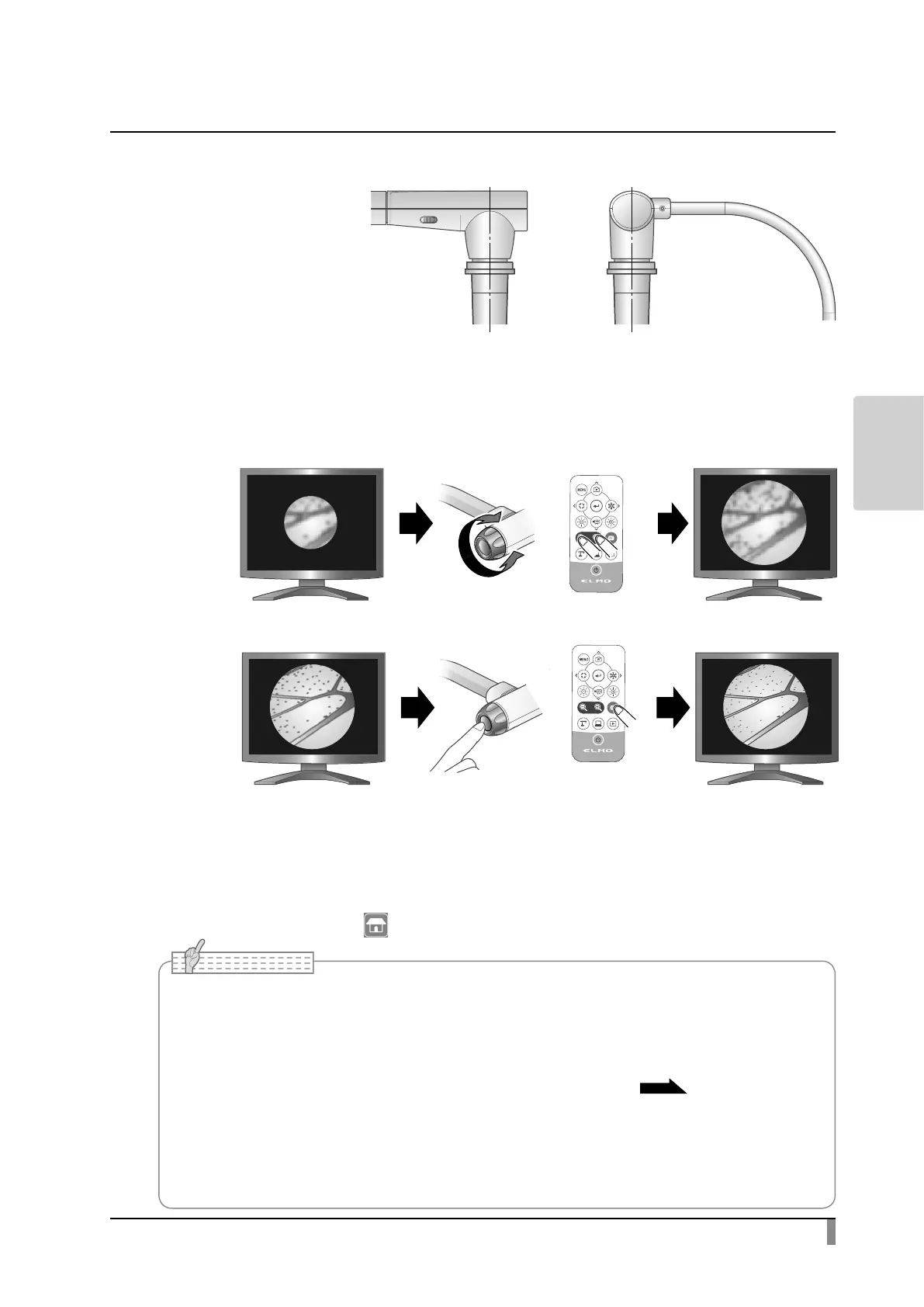
Adjust the display range.
⑦
Adjust the focus.
Exiting the Microscope mode
Select the Return icon[ ]to exit the Microscope mode.
Adjust the display range.
• Depending on the type of eyepiece, you may not be able to view the object clearly even
after adjusting the zoom.
• We recommend using a WF type eyepiece. If you do not use a WF type, we recommend
using an eyepiece of 10x or less.
• Adjust the focus manually when it is hard to focus automatically.
P.21
• You can use the microscope attachment lens when the external diameter of the eyepiece is
20 to 28mm.
• Use the thinner guide ring for Microscope lens attachment. There are two types of rings
included in the package; the thicker one is not used here.



 To Next Page