59
ADVANCED
OPERATIONS
Using ELMO Play
You can download apps from the portal run by ELMO. The selected apps will be
downloaded and installed automatically, which can be used with the product. For
further information, visit the ELMO portal.
Using the le manager
By selecting the File Manager [ ] in the Home screen, you can access the
storage devices such as the internal storage, the SD card and the USB ash drive.
Open the desired storage and the list of folders will be displayed.
You can view les in the folder or open them.
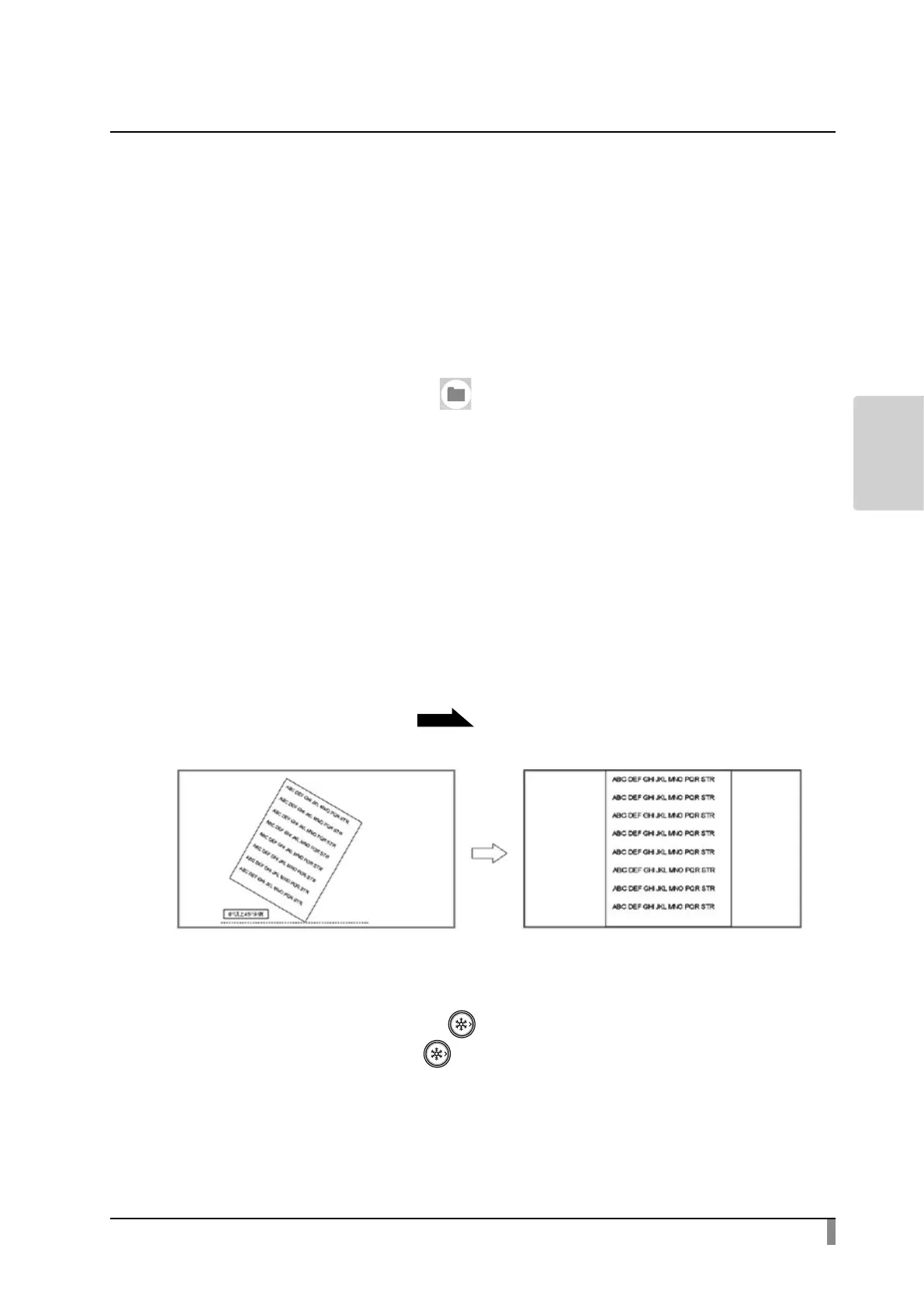
Using the automatic deskew function
By using this function the product will automatically detect the skew angle of
the document such as a printing paper and a textbook in the shooting area and
correct it to t the screen.
※ The image will be rotated, enlarged, reduced or placed in the center.
※ If the “Keystone correction”
P29
is enabled, the product will also correct the
trapezium distortion when correcting the skew of the image.
■ Procedure
① Place a document in the shooting area.
② Long press the Freeze button [ ].
③ Release the Freeze button [ ] and the skew correction will be performed.
The document will be displayed straight.



 To Next Page