9
BASIC
OPERATIONS
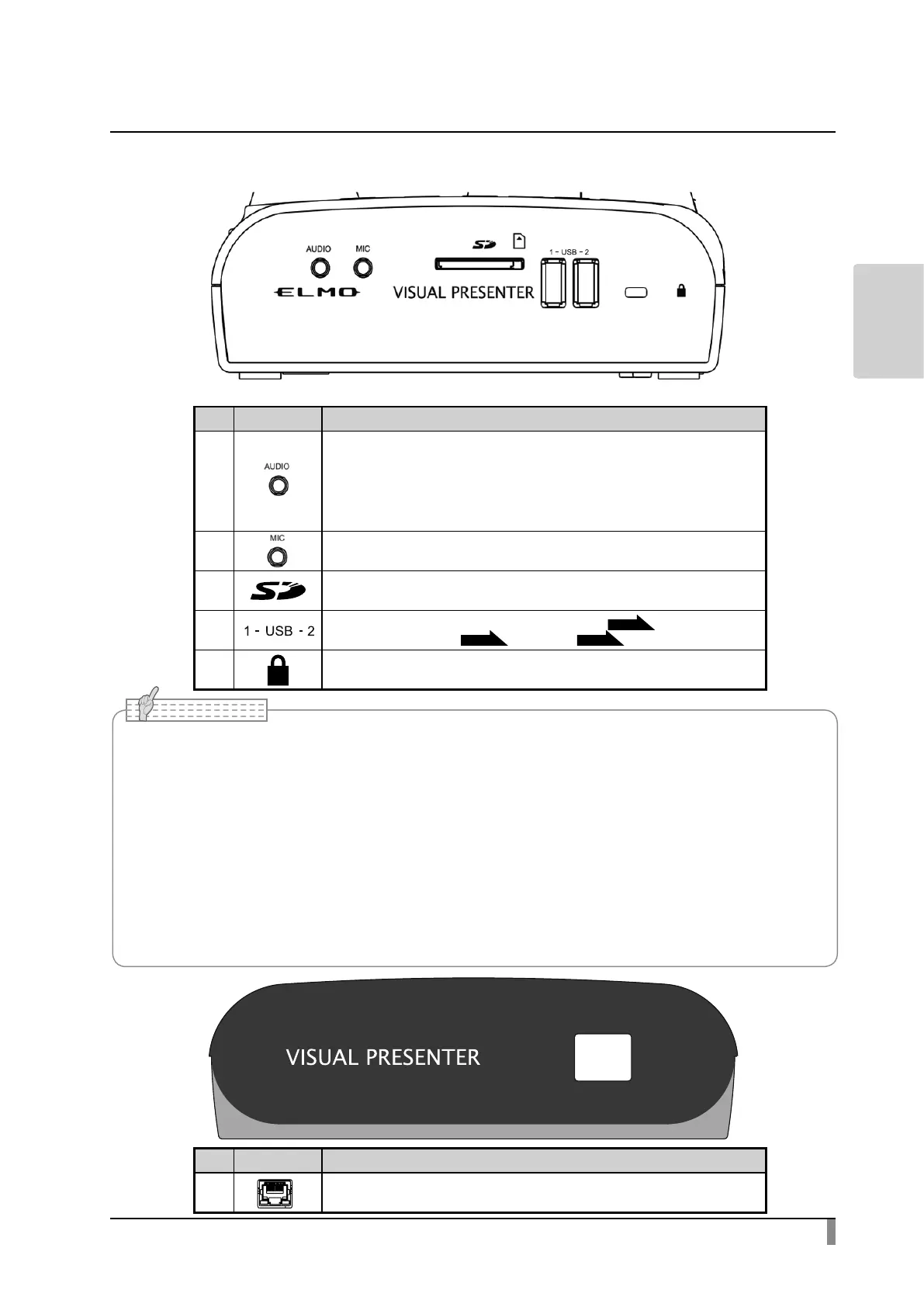
Side panel
Mark Function
①
To output audio. (Audio cable is not supplied with the product.)
②
To connect a microphone. (Microphone is not supplied with this product.)
Use a commercially available electret condenser microphone.
③
To insert an SD card (commercially available).
Push the card again to remove the SD card.
④
To connect the wireless pen tablet (sold separately)
P.47
or a USB ash drive
(commercially available)
P.34
or a mouse.
P.16
⑤
Security slot.
• The same image (with the same resolution) is output from [RGB OUT] and [HDMI OUT].
• When an HDMI monitor is connected, the output image (resolution) is automatically changed
based on the information from the connected monitor. Even if [RGB OUT] is selected, it is not
reected.
• Make sure to change the output image (resolution) with the power o (standby status).
In case you wish to change the output image by looking at the image being currently displayed,
make sure to set the output image to the camera image and hide all menus and support functions
beforehand. We do not guarantee proper operation when the output image is changed in any
other condition than specied above.
• Connecting microphones other than electret condenser microphones (microphones for
computers and so on) may cause a malfunction.
Mark Function
①
To connect a LAN cable. (LAN cable is not supplied with the product.)
①
① ② ③ ④ ⑤



 To Next Page