36
ADVANCED
OPERATIONS
The recording destination can be changed by long pressing the Capture
icon. The sub menu will be displayed and you can change the destination
each time the still image recording is performed.
※ Captured still images can be saved in the following destination: SD card / USB
ash drive / internal storage(The currently selected device will be displayed as
destination in the Status area.)
※ The drawings on the image can also be saved.
P.18
③
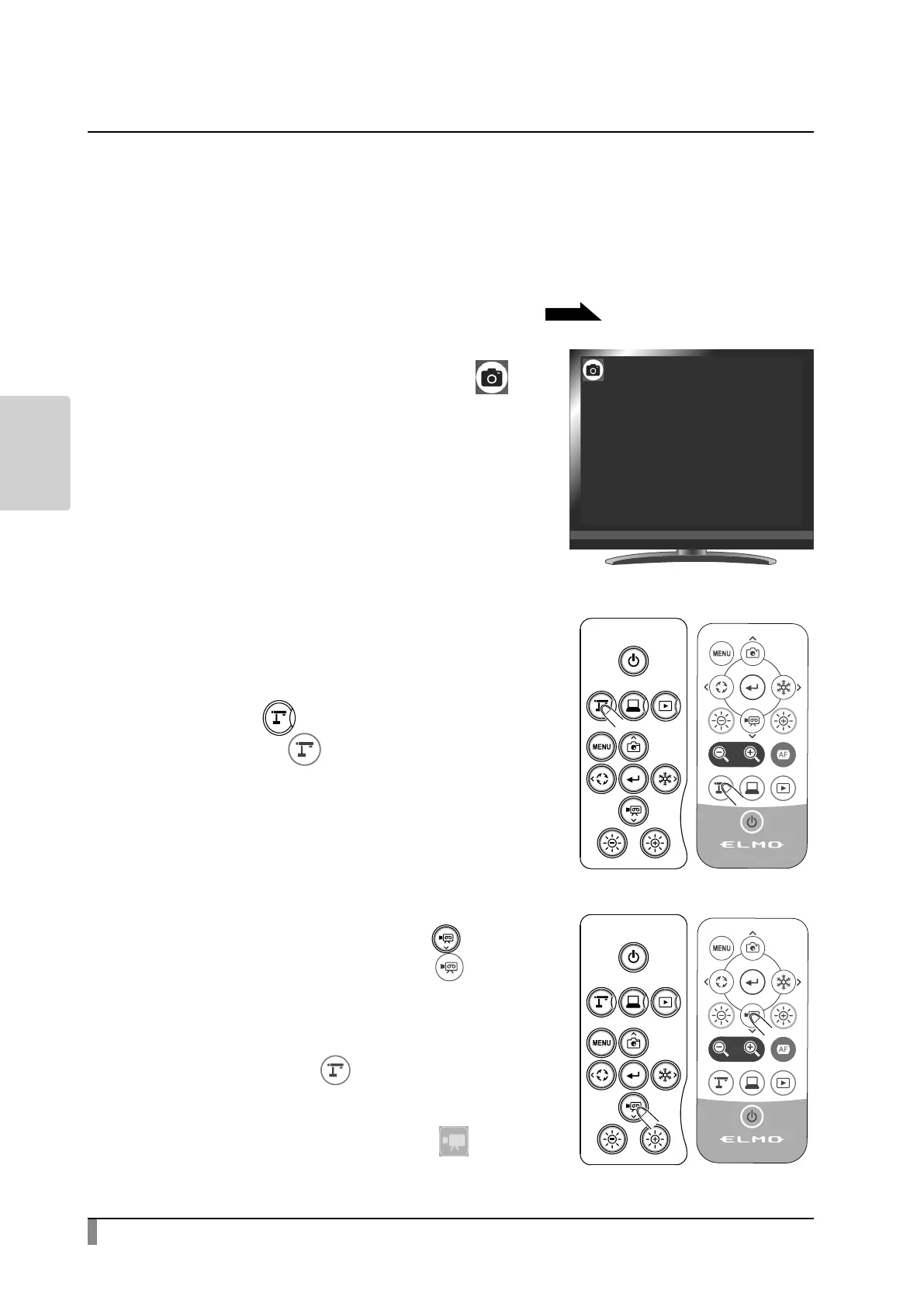
Still image will be recorded when [ ] is
displayed on the screen.
Video
Basic operations
①
Press the [ ] button on the operating
panel or the [ ] button on the remote
control.
②
Make sure that the menu is not displayed
on the screen and press the [ ] button
on the operating panel or the [ ] button
on the remote control.
If the menu is displayed on the screen, do
the above operation after hiding the menu
by pressing the [ ] button either on the
operating panel or the remote control.
Video recording can also be performed
by selecting the Record icon [ ] in the
Menu area. Select the bottom tab in the
Document camera screen to display the
Menu area.
㹼5HFRUGLQJ㹼



 To Next Page