28
BASIC
OPERATIONS
Checking the camera settings
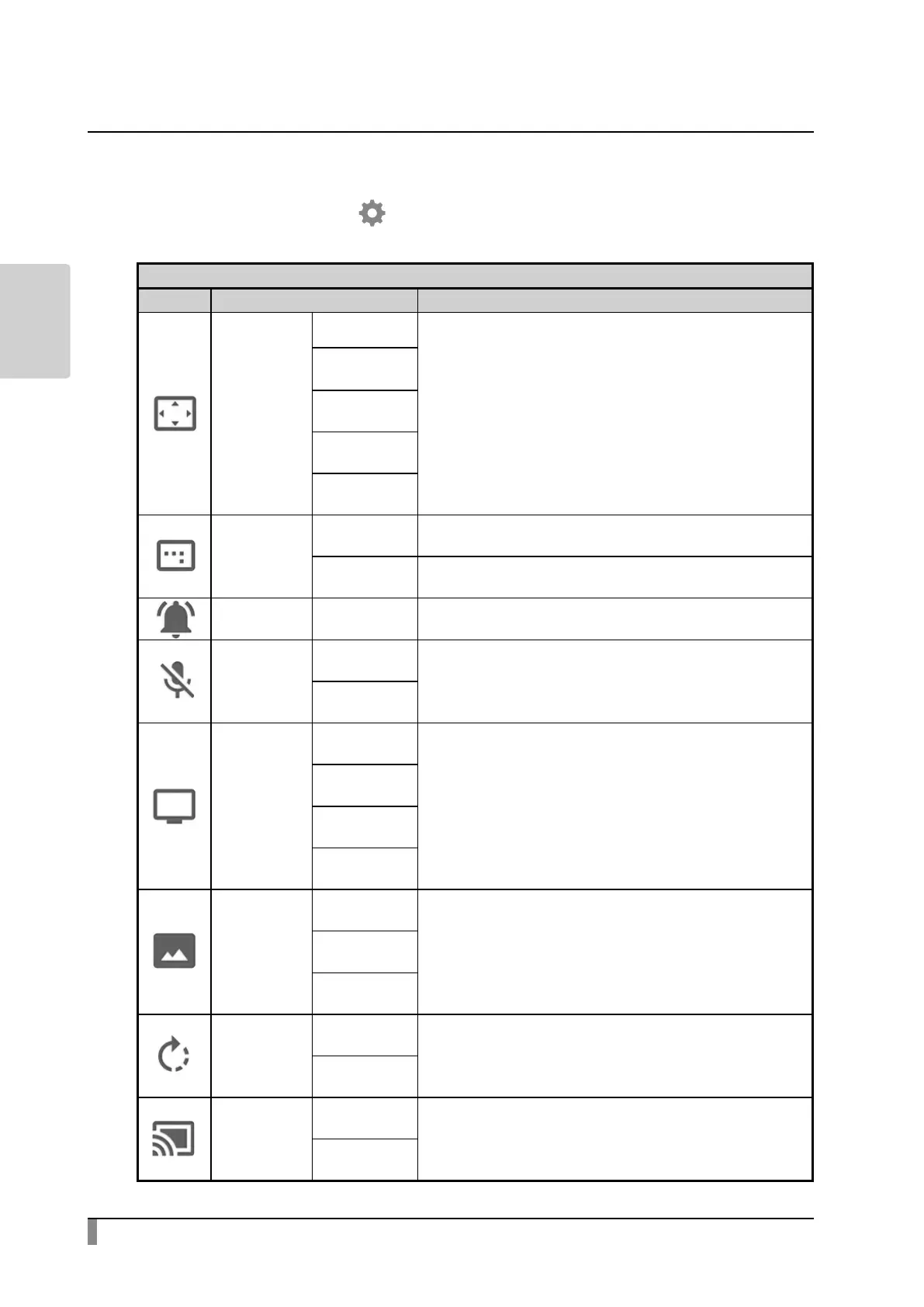
Select the Settings icon [ ] in the Home screen. The Settings screen will be
displayed and you can congure various settings.
Camera settings
Icon Setting item Function
Resolution
Auto
To set the output resolution.
FHD
1920x1080
HD
1280x720
UXGA
1600x1200
XGA
1024x768
Angle of
view
16:9 The image will be displayed in 16:9 format.
4:3
The image will be displayed in 4.3 format.
※ When shooting A3 size document, select 4:3.
Speaker
volume
0~15 To adjust the volume of the speaker.
Mic mute
Enable
To set whether to mute the microphone. When using
the microphone, set this setting to “Disable” .
Disable
Flicker mode
50Hz
If ickering occurs due to indoor lighting, set this mode
correctly according to the area where the product is
being used.
60Hz
Auto
O
Recording
quality
High
To set the recording quality of the video.Normal
Low
Image
rotation
angle
90
To set the rotation angle during image rotation.
180
Automatic
Miracast
connection
Enable
To set whether to perform the Miracast connection
automatically.
Disable



 To Next Page